Why Sharing Wi-Fi With Guests Gets Awkward - and How to Fix It
Tired of repeating your Wi-Fi password to every guest? Discover a simpler way to share home Wi-Fi without awkward explanations, typing mistakes, or constant interruptions.
There is a surprisingly awkward moment that happens in almost every home: someone arrives, sits down, gets comfortable, and then asks, “What's the Wi-Fi password?” Easy question, right? Except now you have to remember which network they should use, find the password, read out a string of letters and numbers, wait while they type it, and eventually hear, “Hmm… it doesn't work.” Suddenly, a five-second question has turned into a tiny customer support ticket in your own living room.
- The Wi-Fi password isn't really the problem
- Don't turn your living room into a help desk
- The easiest Wi-Fi experience is the one nobody has to explain
- Put it somewhere people naturally look
- Test it like a guest, not like the person who made it
- A better setup takes less effort than explaining the password
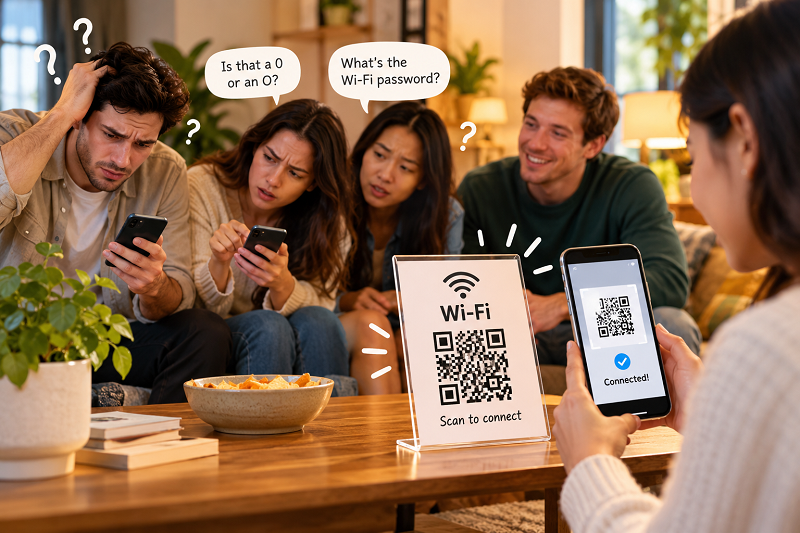
The Wi-Fi password isn't really the problem
Most people don't mind sharing Wi-Fi with friends, family, or other guests. The annoying part is the process. A password such as CoffeeHouse2026! is easy enough to say, but something longer and more security-conscious can become a verbal obstacle course. Is that character a capital O or a zero? Was there an underscore? Did you say seven or eleven? And if the guest enters it incorrectly three times, everyone is suddenly staring at a phone screen trying to solve a mystery nobody planned to investigate.
This becomes even more obvious when several people arrive at once. At a family gathering, dinner party, game night, or weekend visit, the same question can bounce around the room repeatedly. One person asks for the network name. Another asks for the password. Someone else already connected and starts sharing it verbally. Before long, the Wi-Fi details are circulating through the room like a piece of gossip.
The funny thing is that none of this has anything to do with whether your internet connection is fast or slow. The connection could be excellent. The problem is simply that the path between “I want internet access” and “I'm connected” contains unnecessary friction.
Don't turn your living room into a help desk
There is also a small privacy consideration worth thinking about. Your primary Wi-Fi network may connect phones, laptops, printers, smart TVs, cameras, speakers, and other devices around your home. Handing the main network credentials to every visitor may not be the arrangement you actually want.
A guest network can make more sense when your router supports it. It creates a separate access point for visitors while allowing your own devices to remain on the network you control. The exact security features depend on the router, but the basic idea is straightforward: guests get internet access without needing the same network environment as your personal devices.
Once that part is sorted out, another question appears: how should guests actually connect?
You could keep reading the password aloud. You could write it on a piece of paper. You could put it in a note on your phone and pass the phone around. All of these work. None of them is particularly elegant.
The easiest Wi-Fi experience is the one nobody has to explain
This is where a QR code becomes useful—not because QR codes are exciting technology, but because they remove a boring step.
Instead of asking someone to manually enter the network name and password, you can provide a QR code containing the Wi-Fi connection information. A guest scans it with a compatible phone, and the device can recognize the network details and offer the appropriate connection action.
If you want to prepare one for your home, a wifiqrcode can be generated from the network information you already have. The important part isn't making the QR look fancy. The important part is making sure the encoded information is correct and the finished code is easy to scan.
That distinction matters. A beautifully designed QR code that refuses to scan is basically modern wall art.
Put it somewhere people naturally look
Once you have a working QR code, don't hide it.
A small printed card on the coffee table can work well. So can a sign near the entrance, a frame on a shelf, or a small card beside a guest room's welcome information. If you regularly have visitors, you can even make the Wi-Fi card part of your normal hosting setup instead of treating it as something you have to remember every time someone arrives.
The placement should feel obvious without being intrusive. Guests shouldn't have to ask, “Where's the Wi-Fi QR?” The goal is for them to notice it at roughly the same moment they realize they need internet access.
Size matters, too. A QR code doesn't need to cover half the wall, but shrinking it until someone has to hold their phone three inches away from the paper isn't clever either. Give the code enough breathing room, keep the printed version sharp, and avoid placing it somewhere with glare or poor lighting.
Test it like a guest, not like the person who made it
One of the easiest mistakes is assuming a QR code works because it was generated successfully. Generation and successful connection are two different things.
Before handing it over to guests, scan the code yourself. Better yet, test it with another phone. Check that the correct Wi-Fi network appears and that the credentials actually work. If your router uses a guest network, make sure the QR points to the guest network rather than accidentally exposing the details for your private one.
This tiny test can save you from the classic scenario where three guests are standing around the kitchen while you discover that the password was changed two months ago.
And if you ever change the Wi-Fi name or password, remember the physical QR code needs attention too. A static QR code doesn't magically update itself when your router configuration changes. Replace the printed version when the underlying network information changes.
A better setup takes less effort than explaining the password
There is no need to turn Wi-Fi sharing into a complicated home-automation project. A simple setup can be enough: use a guest network when appropriate, create a QR code with the correct credentials, test it on a couple of devices, and put the finished code somewhere guests can easily find it.
The biggest advantage isn't really the QR code itself. It's what disappears because of it. No spelling out passwords. No repeating the network name. No guessing whether someone heard “B” or “D.” No passing your phone across the room so someone can copy a password manually.
You are basically replacing a tiny conversation with a tiny scan.
That may sound like an insignificant improvement, but that's exactly why it works. Good everyday technology often isn't about adding more features. It's about removing the little annoyances that everyone has quietly accepted as normal.
So the next time someone walks through your door and asks for the Wi-Fi, you don't have to launch into password recital mode. Point them toward the QR code, let their phone do the boring part, and get back to whatever you were actually doing.
Your guests get online. You keep your conversation. Everybody wins—without anyone having to ask, “Wait, was that a zero or the letter O?”