Why Does My Wi-Fi QR Code Stop Working After a Password Change?
Changed your Wi-Fi password and suddenly your QR code no longer works? Here's why old Wi-Fi QR codes become outdated and what to do next.
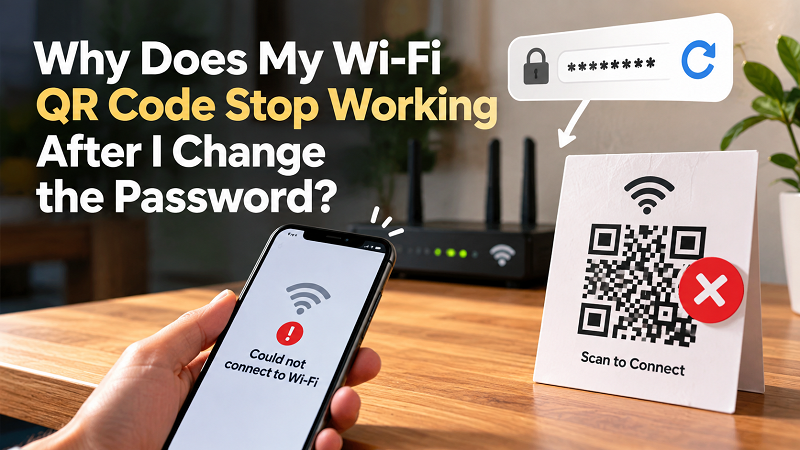
You changed your Wi-Fi password, connected your phone again, checked your laptop, and everything seems perfectly normal. Then someone scans the Wi-Fi QR code sitting on the table and suddenly can't connect. The code looks fine, the camera recognizes it instantly, and yet the Wi-Fi connection fails. Before blaming the QR scanner or the router, there's one simple question worth asking: did you change the Wi-Fi password after creating the QR code?
- The QR Code Didn't Break — Its Information Became Outdated
- Why Can Your Phone Still Connect?
- Changing the Password Is Enough to Make the Old QR Code Outdated
- The Fix Is Simple: Create a New QR Code
- What If You Change the Wi-Fi Name Too?
- Don't Assume It's a Scanning Problem
- The Problem Gets Bigger When You Have Multiple Printed Codes
- A Small Habit Can Prevent the Whole Problem
If the answer is yes, you may have already found the problem. A static Wi-Fi QR code doesn't automatically update itself when your network credentials change. It contains the Wi-Fi information that was entered when the code was created. Change that information later, and the QR code can become outdated even though the code itself still scans perfectly.
The QR Code Didn't Break — Its Information Became Outdated
It's easy to think of a QR code as some kind of live shortcut to your Wi-Fi network, but that's not really how it works. A static Wi-Fi QR code is closer to a tiny digital information card. When you create it, details such as your network name and password are encoded into the pattern. When someone scans the code, their device reads those details and uses them to attempt a connection.
That distinction becomes important when you change your password. Imagine your Wi-Fi network is called MyHomeWiFi and your password is SummerHouse123. You create a QR code and print it for your family or guests. A few months later, you change the password to SummerHouse456, while keeping the same network name. Your router now expects the new password, but the printed QR code still contains the old one. The QR code hasn't malfunctioned. It is simply carrying information that is no longer valid.
Why Can Your Phone Still Connect?
This is where things can get confusing. You may test the Wi-Fi yourself and everything appears normal, because your phone or laptop has already been updated with the new password. Your device remembers the network and knows how to authenticate with the router, so you don't notice anything unusual.
A guest's phone doesn't necessarily have that updated information. When they scan the old QR code, the device receives the old credentials encoded inside it. The scan itself may succeed immediately, but the connection can still fail because the password doesn't match what the router currently expects. That's why an old Wi-Fi QR code can appear to “work” while still being unable to connect a new device.
Changing the Password Is Enough to Make the Old QR Code Outdated
You don't need to change your Wi-Fi name for this problem to happen. In fact, keeping the same network name while changing the password is probably one of the most common situations. From a human perspective, the network may look exactly the same: same router, same location, same Wi-Fi name. But from the perspective of the QR code, the credentials have changed.
The important thing to remember is that a static QR code has no automatic connection to your router. It doesn't monitor your network, check for password changes, or download new information when somebody scans it. It simply provides the information that was encoded into it. If that information changes, the code needs to be updated too.
The Fix Is Simple: Create a New QR Code
Once you've confirmed that the Wi-Fi password has changed, the solution is straightforward. Create a new QR code using the current Wi-Fi network name, current password, and the appropriate security settings if your QR generator asks for them. If you're looking for a quick way to turn your current credentials into a scannable code, a qr to wifi password tool can save you from manually rebuilding the information every time.
There's one extra step that is worth taking before replacing the old printed code: test the new one. Ideally, scan it with a device that isn't already connected to the network. This gives you a much more realistic test because the device isn't relying on credentials it already has saved. Once the new code successfully connects, replace the old version wherever you've displayed it.
What If You Change the Wi-Fi Name Too?
A password change isn't the only reason an old QR code can become useless. Changing the network name can have exactly the same effect. Suppose your original network was called Apartment_WiFi, and after upgrading your router you rename it Apartment_5G. Even if the password remains unchanged, an old QR code still contains the original network name.
The same rule applies here: whenever the information encoded in your Wi-Fi QR code changes, the QR code should be regenerated. This is especially easy to forget when you're dealing with a printed code that has been sitting quietly on a wall or desk for months.
Don't Assume It's a Scanning Problem
When a Wi-Fi QR code doesn't work, it's tempting to point the camera at it several more times, move the phone closer, clean the screen, or start blaming the lighting. Those can be legitimate troubleshooting steps when a QR code won't scan at all, but they're not necessarily relevant when the code scans successfully and the Wi-Fi connection fails.
If the camera recognizes the QR code but the device can't join the network, check the information behind the code. Has the password changed recently? Has the network name changed? Did you replace the router? Was the QR code created for an older version of the network? These questions can often identify the problem much faster than repeatedly scanning the same code.
The Problem Gets Bigger When You Have Multiple Printed Codes
One forgotten QR code is easy to replace. Several of them can become surprisingly annoying. Think about a home where there's one on the refrigerator, another in the guest room, and another printed on a small card near the entrance. A business might have them at reception, in meeting rooms, on tables, or inside guest information folders.
When the Wi-Fi password changes, every one of those physical QR codes potentially contains outdated information. That's why it's useful to treat printed Wi-Fi QR codes as part of your network's information, rather than as permanent decorations. If the credentials change, take a quick look around and replace the old versions.
A Small Habit Can Prevent the Whole Problem
The easiest approach is to make QR replacement part of your password-change routine. Whenever you update the Wi-Fi password or network name, create a new QR code, test it with a separate device, and then replace any printed copies of the old one. It takes only a few minutes, but it prevents the classic situation where a guest scans a perfectly readable QR code and then spends five minutes wondering why the Wi-Fi refuses to cooperate.
A static Wi-Fi QR code is intentionally simple. It doesn't need an account, a live connection, or a complicated backend to do its job. But that simplicity also means it can't know when you've changed the information it contains. The QR code remembers what you gave it; it doesn't know what your router changed later.
So the next time someone tells you that your Wi-Fi QR code has suddenly stopped working, don't immediately blame the camera. First ask one surprisingly useful question: “Was this QR code created before we changed the Wi-Fi password?” If it was, there's a very good chance you've found the answer.