Wi-Fi QR Codes for Vacation Rentals
Make vacation rental check-ins easier with a Wi-Fi QR code. Give guests instant access without making them search through messages or ask for the password.
The bags are finally inside, the door is locked, and the guest can finally relax. Well, almost. Before ordering dinner, checking directions, streaming something, or sending a quick message, there is usually one small problem to solve: getting on the Wi-Fi. The information might be somewhere in an Airbnb message, buried inside a welcome guide, printed on a card, stuck underneath the router, or sitting in a text conversation from several hours ago. None of these solutions is technically complicated, but they all create the same unnecessary question: “Where's the Wi-Fi password?” For a vacation rental, that little moment matters more than it seems. Guests have already traveled, checked in, carried luggage, and learned their way around an unfamiliar property. Making them search for Internet access is simply another piece of friction that can be removed. A clearly displayed Wi-Fi QR code gives guests a much simpler experience: they see it, scan it, connect, and get on with their stay.
- Guests Don't Want a Wi-Fi Tutorial
- Put Wi-Fi Where the Guest Naturally Looks
- Don't Turn the Welcome Guide Into a Treasure Hunt
- Give Guests a Fast Lane and a Backup Lane
- Use a Guest Network for Guest Access
- Make the Wi-Fi QR Code Feel Like Part of the Property
- Don't Forget What Happens When the Password Changes
- Turn Wi-Fi Into a Self-Service Detail
- Test the Property Like a First-Time Guest
- Make the Connection Disappear
Guests Don't Want a Wi-Fi Tutorial
When someone arrives at a vacation rental, they are not interested in understanding how the network was configured. They don't need to know where the router is, which security protocol is being used, or why the password contains a strange combination of letters and numbers. They just want Internet access. Maybe they need Google Maps to find a restaurant. Maybe they want to message the host. Maybe the kids are already asking for a streaming service. Maybe someone needs to answer a work email before officially switching into vacation mode. Whatever the reason, the expectation is straightforward: connecting should be easy. That is why Wi-Fi information should be treated as part of the guest experience rather than another technical instruction. The less mental effort required, the better. If a guest can connect without asking a question or searching through several pages of information, the system is doing its job.
Put Wi-Fi Where the Guest Naturally Looks
One of the easiest mistakes for a vacation rental host to make is assuming that “available information” automatically means “easy-to-find information.” A host might send the password before arrival and consider the problem solved, but guests are not always going to remember a message they received hours or days earlier. They may arrive after a long trip, have dozens of notifications on their phone, or simply prefer to find information inside the property itself. The better approach is to think about the first few minutes of the guest journey. They walk through the door, put down their bags, look around, and naturally gravitate toward certain areas such as the kitchen counter, coffee table, welcome desk, living room, or bedside table. Those are useful locations for Wi-Fi information because they match the way people actually move through a property. The goal isn't to place QR codes everywhere. It is to put one clear piece of information in a location where a guest would reasonably expect to find it.
Don't Turn the Welcome Guide Into a Treasure Hunt
A good welcome guide can contain plenty of useful information, but it can also become a small encyclopedia. House rules, checkout instructions, appliance details, emergency contacts, parking information, restaurant recommendations, local attractions, and other useful notes can quickly turn a simple booklet into something guests don't want to read unless absolutely necessary. Wi-Fi should not require a treasure hunt through all of that information. Give it a clear, dedicated section or place a separate card somewhere visible. The important thing is not whether the host has technically provided the credentials; it is whether a guest can recognize the information immediately when they need it. A visitor who has to flip through six pages looking for a network name is already experiencing unnecessary friction before their stay has properly started.
Give Guests a Fast Lane and a Backup Lane
A QR code can make the primary connection process extremely simple, but a good vacation rental setup should never depend on only one method. The fast lane is the QR code: scan it and connect without manually typing a long password. The backup lane is the traditional combination of network name and password displayed nearby. This matters because guests use different devices and have different preferences. A phone may be perfect for scanning, while a laptop, tablet, television, or other device may be easier to configure manually. There can also be moments when a camera doesn't scan properly or a particular device doesn't handle the connection as expected. Providing both options costs almost nothing and makes the setup much more flexible. The QR code handles convenience; the printed credentials provide a fallback. Together, they create a system that works for more guests without requiring additional support from the host.
Use a Guest Network for Guest Access
There is another part of the setup that hosts should consider before printing any QR code: which Wi-Fi network are guests actually connecting to? If the property uses the same network for personal computers, smart-home devices, printers, storage equipment, or other private technology, sharing those credentials with every visitor may not be the best arrangement. A dedicated guest network creates a cleaner separation between the devices used by the property or host and the network provided to visitors. Guests still get the Internet access they need, while the host doesn't have to treat every guest as though they are connecting to a private home network. This becomes especially useful for hosts who manage multiple properties or use smart-home technology extensively. The QR code itself is simply a convenient way of delivering the connection information; the underlying network setup still needs to make sense.
Make the Wi-Fi QR Code Feel Like Part of the Property
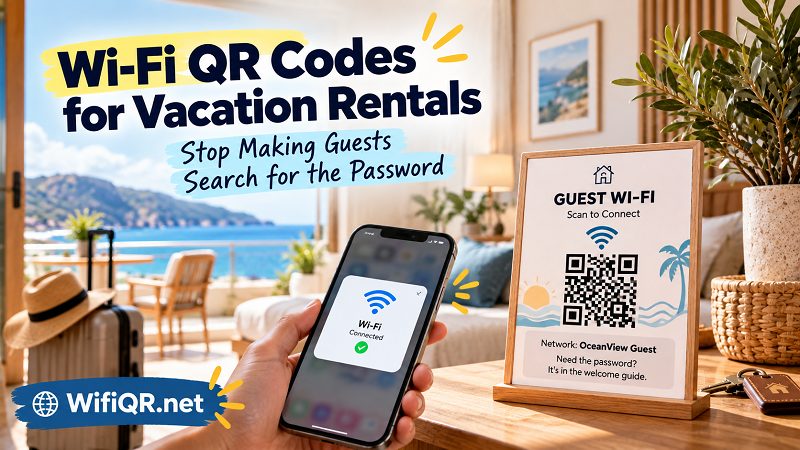
There is no reason a Wi-Fi QR code needs to look like a random technical sticker. Presentation matters because guests should immediately understand what they are looking at. Instead of printing a QR code by itself, give it a simple label such as “Guest Wi-Fi — Scan to Connect,” followed by the network name and a short fallback instruction. The design can match the character of the property. A modern apartment might use a clean, minimal card, while a beach house or family rental could use something more relaxed. The important part is clarity. Guests should never have to guess whether a QR code is meant for Wi-Fi, a digital house manual, a restaurant recommendation, or something else. A small amount of context turns an otherwise mysterious square into an obvious tool.
Don't Forget What Happens When the Password Changes
Wi-Fi information is easy to forget about once it has been printed and placed inside a property, but it should be treated like any other operational detail. Routers get replaced, Internet providers change equipment, passwords are updated, and network configurations evolve. When that happens, an old QR code can become useless even though it still looks perfectly fine on the table. The solution is simple: whenever the network credentials change, update the QR code, replace printed materials, update the relevant section of the welcome guide, and test the connection before the next guest arrives. This is particularly important for hosts managing multiple properties, where an outdated card might sit unnoticed for weeks. A short pre-arrival check can prevent an awkward support message from a guest who has just arrived and can't get online.
Turn Wi-Fi Into a Self-Service Detail
A password qr code isn't valuable because it makes Wi-Fi look more sophisticated. Its real value is that it makes Wi-Fi less noticeable. That is exactly what a good guest experience should do. The guest sees the sign, understands what it is for, scans it, connects, and moves on. They don't need to message the host, search through an old conversation, or walk around the property looking for the router. The technology becomes almost invisible because it removes a task rather than creating another one. For hosts, that also means fewer repetitive questions and less time spent sending the same credentials to different guests.
Test the Property Like a First-Time Guest
Before the next guest arrives, there is a surprisingly useful test that costs nothing: walk through your own property as if you have never seen it before. Don't open your host instructions first. Walk through the door, put yourself in the guest's position, and ask where you would look if you needed Wi-Fi immediately. Can you find the information without searching through your phone? Is the QR code obvious? Does it scan? Can you identify the correct network? Is the password available if you need to connect another device? Would you know what to do without contacting the host? If the answer to any of these questions is unclear, the setup probably needs a small adjustment. Hosts often become blind to these details because they already know where everything is. A first-time guest doesn't have that advantage, and a good rental experience is designed around their perspective rather than the host's memory.
Make the Connection Disappear
Vacation rentals are built from hundreds of small details, and the best ones are often the details guests barely notice. Wi-Fi is a perfect example. Nobody expects a vacation rental to win awards for its Internet instructions; they simply expect the connection to work when they need it. A visible QR code, a clear backup password, a sensible guest network, and a quick test before arrival can remove an annoying little obstacle from the check-in experience. The ideal result is almost boring: the guest walks in, finds the Wi-Fi information, connects, and never thinks about it again. That is the point. Good technology doesn't always need to demand attention. Sometimes its biggest success is quietly getting out of the way.