Wi-Fi QR Codes for Home Offices: Work Without Password Interruptions
A Wi-Fi QR code can make home-office access faster and less disruptive. Learn how to use one for clients, coworkers, visitors, and guest devices.
Your home office is supposed to help you focus. Then someone walks in and asks, “What's the Wi-Fi password?”
- Your Home Office Has a Wi-Fi Problem, Not an Internet Problem
- The Real Cost Is the Interruption
- Who Should Use the Wi-Fi QR Code?
- Make Wi-Fi Access Part of the Office Setup
- Keep Your Main Network Private
- Your Home Office May Share More Than Wi-Fi
- Don't Make the QR Code the Only Option
- Put It Where Questions Usually Start
- A Small QR Code Can Protect a Big Chunk of Focus
It sounds harmless. Maybe it takes ten seconds to answer. But if you're already in a video meeting, writing a proposal, debugging something important, or trying to finish a deadline, that tiny interruption suddenly feels much bigger. You stop what you're doing, find the password, read it out loud, wait while someone types it, and sometimes hear the inevitable: “It doesn't work. Can you say that again?”
A Wi-Fi QR code gives your home office a much cleaner alternative. Instead of turning Internet access into another conversation, you can let visitors connect with a quick scan and get back to whatever you were doing.
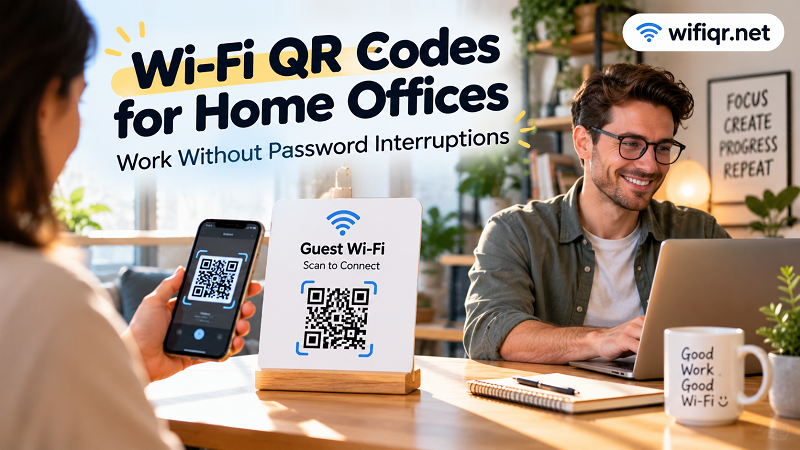
Your Home Office Has a Wi-Fi Problem, Not an Internet Problem
Most home offices don't have an Internet problem. The connection is fast enough, the router works, and everyone knows the Wi-Fi exists. The annoying part is everything that happens between “I need Internet” and “I'm connected.”
Home offices are no longer used only by the person who lives there. A client might stop by for a meeting. A coworker may spend the afternoon working from your dining table. A technician might need Internet access to configure a printer. A friend could bring a laptop while you're working together on a project. Even a family member may occasionally need a reliable connection.
Every one of those situations can create the same tiny interruption: someone needs the Wi-Fi credentials.
A QR code turns that interaction into something almost invisible. Put it somewhere obvious, let the visitor scan it, and move on. No password recital. No squinting at a router sticker. No repeating a complicated combination of letters, numbers, and symbols like you're reading out a Wi-Fi spell.
The Real Cost Is the Interruption
The biggest advantage of a Wi-Fi QR code isn't necessarily that it saves a few seconds. It's that it protects your attention.
Imagine you're halfway through an important client call when someone needs to connect a laptop. You pause the conversation, search for the password, and explain which network to select. Once they're connected, you have to mentally switch back to the meeting.
That context switch is the annoying part.
The same thing happens when you're writing, designing, coding, editing video, preparing a presentation, or handling almost any task that requires concentration. Your home office may be physically close to the rest of your home, but your work still needs uninterrupted time.
A simple QR code handles one of those repetitive little requests without demanding your attention.
Who Should Use the Wi-Fi QR Code?
You don't need a busy office to make this useful. Even a one-person home office can benefit when other people occasionally need Internet access.
Clients are an obvious example. If someone arrives for a consultation or meeting and needs to open a laptop, getting online shouldn't become part of the meeting itself. The same goes for coworkers visiting for a collaborative session or freelancers working alongside you for the day.
There are also less obvious cases. A computer technician may need a connection while working on your equipment. Someone helping you install a printer or smart device may need temporary Internet access. A guest waiting for an appointment may simply want to check email while they wait.
The common thread is simple: these people need connectivity, but they don't need a conversation about your Wi-Fi password.
Make Wi-Fi Access Part of the Office Setup
A home office often has small details that make the space easier to use: a dedicated desk, charging station, monitor setup, notebook, printer, and maybe a small sign with useful information. Wi-Fi access can fit naturally into that environment.
Instead of hiding the QR code somewhere near the router, place it where a visitor is likely to see it before asking for help. A small sign near the guest desk or meeting area is usually more useful than one tucked behind furniture.
The message doesn't need to be complicated. Something as simple as “Guest Wi-Fi — Scan to Connect” immediately tells people what the code does and what they should do next.
The goal isn't to make your office look futuristic. It's to remove a tiny piece of friction from the room.
Keep Your Main Network Private
Convenience shouldn't mean giving everyone access to everything on your network.
If your router supports a guest network, that's often the better choice for visitors. Your main network may connect computers, printers, storage devices, smart equipment, and other personal hardware that doesn't need to be accessible to every person who walks into your office.
A QR code makes connecting easier, but it doesn't change the security properties of the network behind it. If the QR code contains your primary Wi-Fi credentials, anyone who can access that code may be able to obtain those credentials.
For a home office, think of the QR code as a convenient front door to the network you intentionally want visitors to use. Keep private devices and sensitive resources behind the appropriate network controls.
Your Home Office May Share More Than Wi-Fi
There is another interesting side effect of having visitors work from your home office: people often need information as well as Internet access.
A client might need meeting instructions. A contractor may need a document. A coworker could need a project reference. You may even have a small collection of onboarding materials, forms, guides, or reference documents prepared for recurring visitors.
If several related documents belong together, you can merge pdf files into one clean reference document instead of making someone hunt through multiple attachments.
The idea is bigger than any single QR code. A good home office quietly removes repetitive questions and unnecessary friction wherever possible, allowing people to get what they need without constantly interrupting the person trying to work.
Don't Make the QR Code the Only Option
A QR code is a shortcut, not magic.
Some devices or users may not support the expected scanning workflow. Someone might have a damaged camera, an older phone, or simply prefer entering network information manually. That's why it's smart to keep the Wi-Fi name and password available through a private backup method.
The important thing is that the backup doesn't have to be the primary experience.
Think of it like a spare key. You don't leave the door unlocked just because someone might lose their key. You provide another way in when it's actually needed.
Put It Where Questions Usually Start
The best location for a Wi-Fi QR code isn't necessarily the most visible wall in the room. It's the place where a visitor is most likely to think, “I need Internet.”
That could be beside a guest workspace, near a small meeting table, or next to the area where visitors normally sit. The closer the QR code is to the moment of need, the less likely someone is to interrupt you.
This also keeps the experience simple for visitors. They don't need instructions from you. They don't need to search the room. They see the sign, understand what it is, scan it, and continue working.
That's exactly what good office design should do: solve small problems before they become interruptions.
A Small QR Code Can Protect a Big Chunk of Focus
Nobody installs a Wi-Fi QR code because they want to celebrate QR technology. They use one because repeatedly answering the same question gets old.
For a home office, that tiny improvement can have an outsized effect. Clients can get online without stopping your conversation. Coworkers can connect without asking you to pause. Technicians can get the access they need. Visitors can start working while you stay focused on your own work.
The best productivity improvements aren't always complicated apps or elaborate systems. Sometimes they're tiny changes that remove one repetitive interruption from your day.
A Wi-Fi QR code is one of those changes. Put it in the right place, use the right network, make the purpose obvious, and let it quietly do its job in the background.
Your Wi-Fi doesn't need another password conversation. And honestly, neither does your workday.