Wi-Fi QR Codes for Clinics: A Better Patient Experience
Make clinic visits more comfortable with easy guest Wi-Fi access. Discover how QR codes reduce password requests and simplify patient connectivity.
Nobody enjoys sitting in a waiting room longer than expected. Whether it's a routine checkup, a dental appointment, or a visit to a specialist, waiting is simply part of the experience. Most people pull out their phones to check messages, read the news, answer emails, or keep themselves occupied until their name is called.
- The Small Wi-Fi Problem That Creates Extra Work at the Front Desk
- What Patients Actually Need While Waiting for an Appointment
- Three Different Patient Experiences a Clinic Should Consider
- The Wi-Fi Setup Behind a Patient-Friendly Waiting Room
- Where Should a Clinic Display Its Wi-Fi QR Code?
- A Better Way to Offer Guest Wi-Fi Without Repeating Passwords
- Small Details That Make a Big Difference
- A More Comfortable Waiting Room Starts With Fewer Friction Points
Then comes the familiar little problem: the Wi-Fi password.
A patient looks around for a sign, asks the receptionist, tries to remember a complicated combination of letters and numbers, and sometimes gives up altogether. Meanwhile, the receptionist has another patient to check in, a phone ringing, and three other things demanding attention.
It's not a major crisis. But it's an unnecessary interruption that happens over and over again.
For clinics looking to improve the patient experience, making guest Wi-Fi easier to access is a surprisingly practical place to start. A simple Wi-Fi QR code can turn that awkward exchange into a quick scan and get everyone back to what they were doing.
The Small Wi-Fi Problem That Creates Extra Work at the Front Desk
Reception desks are busy places. Staff members handle appointments, insurance questions, paperwork, incoming calls, and patients who need a little extra assistance. Adding another repetitive task to the list doesn't exactly make their day easier.
Wi-Fi requests might seem harmless individually, but they add up.
Consider what happens during a typical morning at a busy clinic. One patient asks for the password. Another can't find the network. Someone else enters the password incorrectly because it contains a mixture of uppercase letters, numbers, and special characters. A family member then asks whether they can connect their own phone, too.
Before long, staff members are spending time on something that could have been handled without a conversation.
There's also the issue of outdated information. When a clinic changes its Wi-Fi password, old signs and printed instructions can quickly become a source of confusion. Patients may continue trying credentials that no longer work, while receptionists have to explain the situation repeatedly.
A better access method doesn't eliminate every connectivity problem, but it removes one particularly annoying part of the process: manually sharing network credentials.
What Patients Actually Need While Waiting for an Appointment
Here's something worth remembering: patients aren't necessarily looking for premium Internet access. Most simply want their phones to work while they're waiting.
Their needs can vary depending on why they're visiting and how long they expect to stay.
Some patients want to check appointment reminders, read a few emails, or message someone about their estimated arrival time. Others might be accompanying an elderly parent, looking after a child, or waiting for a family member to finish a consultation.
For these visitors, reliable Internet access can make an otherwise dull waiting period feel a little more manageable.
There are also patients who need to access digital forms, check information sent by the clinic, or communicate with family members about their visit. A straightforward connection process helps them do these things without relying on mobile data.
Of course, not everyone wants to connect to public Wi-Fi. That's perfectly reasonable, too. The goal isn't to force patients onto another network. It's to provide a convenient option for those who want it.
Three Different Patient Experiences a Clinic Should Consider
A waiting room isn't filled with identical people. Designing Wi-Fi access around real visitor behavior makes more sense than assuming everyone will figure things out the same way.
The First-Time Visitor
Imagine someone visiting a clinic for the first time. They arrive a few minutes early, check in at reception, and take a seat. They don't know where anything is yet, including the guest Wi-Fi information.
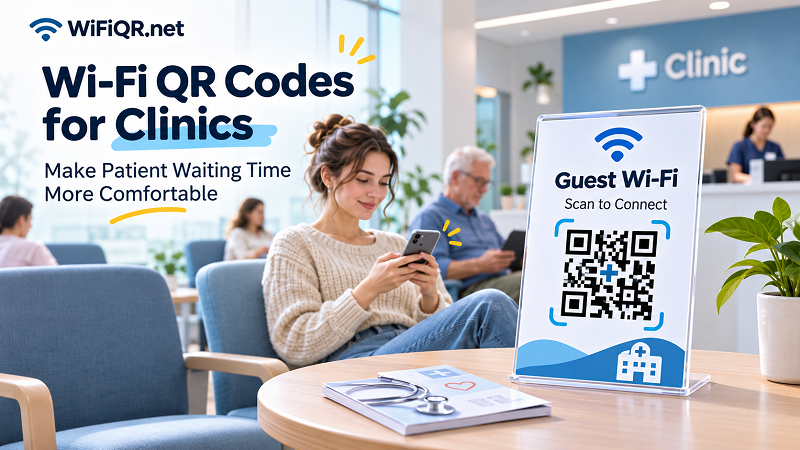
A clearly displayed QR code with a short instruction such as "Scan to Connect to Guest Wi-Fi" removes the guesswork. The visitor doesn't have to interrupt the receptionist just to get online.
The Regular Patient
Some people visit the same clinic regularly for follow-up appointments, treatments, or routine checkups. They already know the layout and may have connected to the guest network before.
For these visitors, consistency matters. Keeping the Wi-Fi QR code in a familiar location makes future visits easier. They can quickly scan it when needed instead of searching for a password every time.
If the network credentials remain unchanged, the same printed QR code can continue serving visitors without requiring a new sign for every appointment.
The Family Member or Caregiver
Not every person sitting in a waiting room is a patient. Parents, spouses, adult children, and caregivers often accompany someone to an appointment.
They may spend a considerable amount of time waiting while someone else receives care. Having access to guest Wi-Fi can make that time more productive or simply less boring.
A visible QR code gives accompanying visitors an easy way to connect without having to explain their situation or request assistance.
The Wi-Fi Setup Behind a Patient-Friendly Waiting Room
Making Wi-Fi convenient is only half the job. Clinics also need to think carefully about what happens after a visitor connects.
A guest network should be treated as a separate environment, not an extension of the clinic's internal infrastructure.
This distinction is important because medical offices may use connected computers, printers, administrative systems, and other devices that should never be casually accessible to visitors.
Here are some practical considerations before putting a guest Wi-Fi QR code on the wall.
Keep guest access separate from internal systems. Configure a dedicated guest network or an appropriate network segmentation solution. Patient devices should not have unrestricted access to staff computers, internal file storage, printers, or clinical equipment.
Apply sensible access restrictions. Depending on the router or network management system, clinics can configure bandwidth limits, client isolation, access schedules, and other controls. The objective is to provide useful connectivity without allowing guest devices to interfere with business operations.
Check signal coverage where people actually sit. A router might provide excellent coverage near reception but struggle in the far corner of the waiting room. Test the connection from different seats rather than assuming the entire space has reliable coverage.
Use a dedicated guest password. Never print the credentials used by employees or administrators on a public-facing sign. If the guest password needs to change, update the QR code and replace outdated printed materials.
Consider privacy and compliance requirements. Guest Wi-Fi should not expose patient information or provide access to clinical applications. Clinics should also review applicable privacy, security, and organizational requirements before deploying public wireless access.
A QR code makes joining a network easier. It doesn't make that network secure by itself. Good network configuration still does the heavy lifting.
Where Should a Clinic Display Its Wi-Fi QR Code?
A perfectly functional QR code isn't particularly useful if nobody notices it.
Placement matters because patients shouldn't have to walk around the building searching for a way to connect. Ideally, the code should appear somewhere visitors naturally look during their time at the clinic.
Think about the patient's journey through the space.
- Reception counter: A convenient starting point, especially for first-time visitors. Staff can point to the sign while completing the check-in process.
- Waiting room tables: Small tabletop displays make the code accessible to people who have already taken a seat.
- Patient welcome area: A larger sign near the entrance helps visitors discover the network without needing assistance.
- Consultation waiting areas: Useful in larger clinics where patients may wait in separate sections before their appointments.
- Printed welcome materials: Including a QR code on an information sheet gives visitors another way to find the network details.
Don't turn the waiting room into a QR code exhibition, though. One clearly visible sign is often better than five competing notices.
Make sure the code is large enough to scan comfortably, has sufficient contrast, and isn't covered by decorative elements. Include the network name and a short explanation so visitors know what they're scanning.
It's also worth providing the network name and password as a manual alternative. Some people prefer entering credentials themselves, and certain devices may not support automatic Wi-Fi QR scanning.
A Better Way to Offer Guest Wi-Fi Without Repeating Passwords
Once the guest network is configured, creating a QR code is relatively straightforward. You don't need a complicated software installation or a custom application just to share basic connection details.
A Wi-Fi QR code stores the network information in a format that compatible devices can recognize. When someone scans it, their device can display a prompt to join the network rather than requiring them to type everything manually.
For a clinic, the process can be simple:
- Find the guest network's SSID (the name displayed when people search for Wi-Fi).
- Prepare the correct password and security type.
- Open a wifi code qr generator and enter the network information.
- Generate the QR code and download it as a PNG image.
- Print the code on a small sign and place it somewhere visible.
- Test it using different phones before making it available to patients.
One useful detail: a static Wi-Fi QR code contains the connection information directly. It doesn't need to redirect visitors through an external webpage before they can access the encoded credentials.
That makes it practical for permanent signs, provided the network settings remain unchanged.
If the guest password changes, however, the old QR code won't magically update itself. You'll need to generate a replacement and update every printed copy.
For clinics that want a simple, no-fuss solution, this approach can eliminate a surprising amount of repetitive front-desk work.
Small Details That Make a Big Difference
A QR code can be technically correct and still create a frustrating experience if the surrounding instructions aren't clear.
Imagine an older patient looking at a printed square with no explanation. They might not know whether it's a payment code, an appointment link, or something else entirely.
A few small design decisions can prevent that confusion.
Use plain language. A simple heading such as "Free Guest Wi-Fi" tells visitors exactly what the code is for. Avoid technical terms that only network administrators understand.
Show the network name. Displaying the SSID beneath the QR code helps visitors identify the correct network and gives them useful information if they need to connect manually.
Make the code easy to scan. Avoid overly small prints, low-contrast designs, glossy surfaces that create glare, or decorative patterns that interfere with scanning.
Provide an alternative. Keep manual connection details available for people whose phones don't recognize Wi-Fi QR codes.
Check the sign periodically. A quick scan every so often can catch problems before patients start reporting them. This is particularly important after router replacements, password changes, or network configuration updates.
And one more thing: don't ask patients to submit unnecessary personal information just to use basic guest Wi-Fi. Keep the process proportionate to what the service actually needs.
A More Comfortable Waiting Room Starts With Fewer Friction Points
Improving a patient's experience doesn't always require a major renovation, expensive equipment, or another complicated digital system.
Sometimes, it's about noticing the little things that make an ordinary visit more frustrating than it needs to be.
A patient who can connect to Wi-Fi without interrupting reception has one less thing to worry about. A receptionist who doesn't have to repeat the same password twenty times a day gets a little more time for actual patient support. And clinic management gets a simple improvement that can be implemented without changing the entire operation.
A Wi-Fi QR code won't shorten appointment queues or make medical visits more enjoyable overnight. But it can make the waiting room a little more welcoming, and that's a worthwhile improvement.
After all, good patient experiences aren't built from one big gesture. They're built from lots of small details that simply work.