Can a Wi-Fi QR Code Limit Guest Internet Speed?
Learn how to manage guest Wi-Fi speed, prevent bandwidth hogging, protect business devices, and offer customers a smoother internet experience.
Imagine running a busy coffee shop on a Saturday afternoon. Customers are enjoying their drinks, scrolling through social media, watching videos, and connecting multiple devices to your free Wi-Fi. Everything seems fine until your payment terminal starts responding slowly, employees struggle to access online systems, and other customers begin complaining about poor internet performance.
- The Hidden Cost of Uncontrolled Guest Wi-Fi
- What Actually Happens After Someone Scans a Wi-Fi QR Code?
- Three Ways to Keep Guest Wi-Fi Under Control
- 1. Separate Guest Wi-Fi from Your Business Network
- 2. Set Bandwidth Limits Per Device
- 3. Prioritize Business-Critical Traffic
- How Much Bandwidth Should You Give Your Guests?
- Build a Better Guest Wi-Fi Experience Without Overcomplicating It
- Make Guest Wi-Fi Easier to Access with a Simple QR Code
- Final Thoughts: Free Wi-Fi Should Work for Everyone
Sound familiar? Free Wi-Fi is a fantastic customer perk, but an unmanaged guest network can quickly become a headache for business owners. One customer downloading a massive file or several guests streaming high-definition videos can consume a surprising amount of bandwidth.
So, can a Wi-Fi QR code limit how fast guests browse the internet? The short answer is no. However, combining convenient Wi-Fi access with the right router settings can give you much better control over your network. Let's break down how it works and what businesses can do to keep everyone connected without sacrificing performance.
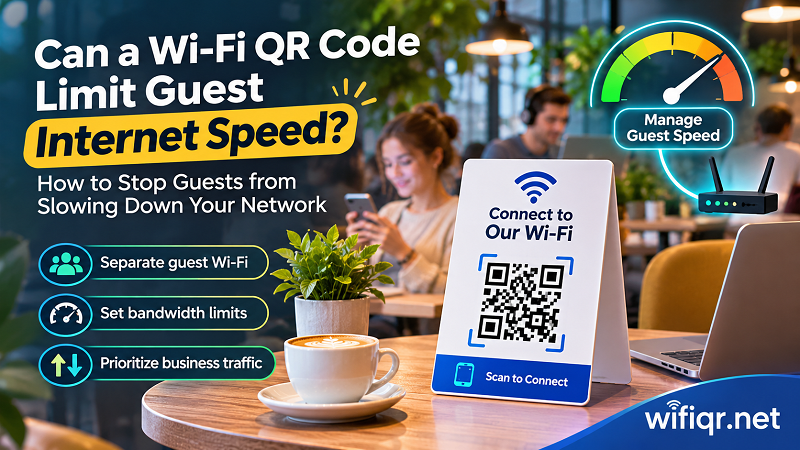
The Hidden Cost of Uncontrolled Guest Wi-Fi
Offering free internet sounds simple: share your password, let customers connect, and get back to business. Unfortunately, internet bandwidth doesn't magically expand just because more people walk through your door.
Every connected device consumes part of your available network capacity. Checking emails or browsing a few websites usually requires relatively little bandwidth. Streaming 4K video, downloading large files, joining video conferences, and uploading cloud backups can demand significantly more.
When too many devices compete for limited resources, several problems can appear:
- Slow customer connections: Guests experience buffering, delayed page loading, and interrupted video calls.
- Unreliable business operations: Cloud-based POS systems, inventory software, and online ordering platforms may become less responsive if they share an overloaded network.
- Unhappy customers: People who expect reliable internet may leave with a negative impression of your business.
- Unpredictable network performance: Your connection may work perfectly during quiet hours but struggle when the business gets crowded.
The problem isn't necessarily that your internet plan is too slow. Sometimes, the real issue is how available bandwidth is distributed among connected devices.
Think of your internet connection as a highway. Adding more cars doesn't automatically create more lanes. Without proper traffic management, everyone ends up moving more slowly.
What Actually Happens After Someone Scans a Wi-Fi QR Code?
Before discussing bandwidth management, let's clear up one important misconception: a Wi-Fi QR code is not a network management system.
Its primary purpose is to simplify the connection process. Instead of asking customers to find your network, type a complicated password, and hope they entered everything correctly, they can scan a code and connect using compatible devices.
Here's what happens behind the scenes:
- QR code scanning: A customer opens their phone's camera or QR scanner and points it at your Wi-Fi code.
- Network information is decoded: The device reads the encoded network name (SSID), password, and security information.
- Connection request: The device attempts to connect to the specified wireless network.
- Authentication: The router checks the credentials and determines whether the device is allowed to join.
- Network access: Once connected, the router manages the device's traffic according to its configured network policies.
Notice what's missing? There is no built-in bandwidth control in the QR code itself.
A QR code doesn't decide whether a customer gets 5 Mbps or 50 Mbps. It simply helps the device access the network. Actual speed limits, device restrictions, traffic priorities, and access policies must be configured through your router or network management platform.
This distinction matters because businesses sometimes expect a different QR code to solve problems that actually require changes to their network infrastructure.
Three Ways to Keep Guest Wi-Fi Under Control
You don't need an enterprise-grade networking system to start managing guest internet access more intelligently. Depending on your router, several practical features can help prevent customer devices from overwhelming your connection.
1. Separate Guest Wi-Fi from Your Business Network
This should be one of your first priorities.
Your customers need internet access. They don't need access to your payment terminals, office computers, security systems, printers, or internal business files.
A guest network creates a separate wireless environment for visitors. Many modern routers offer this feature directly through their administration interface.
With proper guest network configuration, you can:
- Keep customer devices separated from internal business equipment.
- Restrict access to local network resources.
- Apply different network policies to guests and employees.
- Manage guest access without changing the primary business network password.
For example, a restaurant could operate two wireless networks: one for customers and another for employees and business equipment.
Customers can browse the internet while the restaurant keeps its operational devices on a separate network.
Keep in mind that a separate SSID alone doesn't guarantee isolation. Make sure guest isolation, firewall rules, and access restrictions are properly configured.
2. Set Bandwidth Limits Per Device
If your router supports bandwidth management, you may be able to establish speed limits for individual connected devices.
This is particularly useful in businesses where customers frequently connect to the same network.
For example, imagine your router provides a total download capacity of 100 Mbps. You could configure a maximum guest-device speed of 10 Mbps, depending on your equipment and business requirements.
Here's an illustrative configuration:
| Setting | Example |
|---|---|
| Total available download speed | 100 Mbps |
| Maximum guest speed per device | 10 Mbps |
| Guest devices | 8 |
| Maximum combined guest allocation | 80 Mbps |
These numbers are examples, not guaranteed performance figures. Actual throughput depends on router capabilities, wireless conditions, protocol overhead, and the traffic being generated.
Some routers provide per-device bandwidth limits, while others offer network-wide limits or controls based on user groups.
If your current router doesn't support individual speed restrictions, you may need a more capable model or a dedicated network management solution.
3. Prioritize Business-Critical Traffic
Sometimes, limiting every customer isn't the best solution. What matters more is making sure important business operations remain responsive.
That's where Quality of Service (QoS) comes in.
QoS allows supported networking equipment to prioritize certain types of traffic or devices when network resources become congested.
For example, a small hotel might prioritize:
- Front-desk computers and booking systems.
- Business communication and video calls.
- Payment processing devices.
- Essential cloud-based applications.
Guest browsing and entertainment traffic can receive a lower priority when bandwidth becomes limited.
The exact capabilities depend on the router. Some systems prioritize devices, others prioritize applications or traffic classes, and more advanced platforms offer additional controls.
The goal isn't to make customers' internet unusable. It's to prevent recreational traffic from interfering with essential business operations.
How Much Bandwidth Should You Give Your Guests?
There isn't one perfect speed limit for every business. A coffee shop, hotel, restaurant, and coworking space have very different customer expectations.
Someone checking messages while waiting for a takeaway order doesn't need the same internet experience as someone attending a remote business meeting.
Consider these general usage scenarios:
| Business Type | Typical Guest Activities | Management Consideration |
|---|---|---|
| Small café | Messaging, browsing, social media | Moderate per-device limits |
| Restaurant | Browsing menus, social media, casual streaming | Balanced guest allocation |
| Hotel | Video streaming, browsing, remote work | Higher capacity and flexible policies |
| Coworking space | Video calls, cloud applications, file transfers | Higher bandwidth and traffic prioritization |
These are starting points for planning, not universal speed recommendations.
Before setting limits, consider three factors:
Your internet plan: A 100 Mbps connection has different resource constraints than a 1 Gbps connection. Start by understanding your actual available bandwidth rather than relying only on the advertised package speed.
Your average number of connected devices: Ten customers with one device each create a different workload from ten customers carrying three connected devices each.
Your customers' expectations: A quick restaurant visit requires less bandwidth than a coworking session involving video conferences and cloud-based applications.
A useful approach is to monitor network performance during peak hours, identify when congestion occurs, and adjust your policies based on actual usage.
Don't make speed limits unnecessarily restrictive. Customers should still be able to perform ordinary online activities comfortably.
Build a Better Guest Wi-Fi Experience Without Overcomplicating It
Managing guest internet doesn't have to become another full-time job. A few sensible decisions can make your network easier to operate and more reliable.
Here's a practical network setup for a small business:
Step 1: Create a dedicated guest network.
Keep visitors separate from your internal business devices. Enable appropriate isolation and firewall protections so customers cannot freely access your private network.
Step 2: Configure bandwidth policies.
Use the available router features to establish reasonable speed limits or bandwidth allocation rules. Avoid assigning more capacity than your internet connection can realistically provide.
Step 3: Protect essential business devices.
Make sure POS terminals, employee computers, and other critical systems have appropriate network access and traffic priority.
Step 4: Make connecting easy.
Customers shouldn't have to ask employees for the Wi-Fi password every time they visit. Display a clearly visible QR code near entrances, reception desks, counters, or dining tables.
Step 5: Review performance regularly.
Check connected devices, network utilization, and customer feedback. If complaints increase during specific hours, investigate congestion before immediately upgrading your internet plan.
This combination creates a much better balance between customer convenience and business network reliability.
Make Guest Wi-Fi Easier to Access with a Simple QR Code
You've configured your guest network, established sensible bandwidth policies, and separated customer traffic from your internal business systems. Now comes the part customers actually interact with: connecting to your Wi-Fi.
Nobody enjoys typing a long password while standing at a reception desk or trying to read tiny characters printed on a menu. One incorrect letter can turn a simple connection into an unnecessary customer service request.
A Wi-Fi QR code removes much of that friction.
With wifiqr code generation, businesses can turn their wireless network credentials into a scannable code that customers can use to connect more conveniently.
You can create a code using your network name, password, and security type, then download it and display it wherever customers need internet access.
Consider placing your QR code in locations such as:
- Restaurant tables and takeaway counters.
- Café menus and promotional displays.
- Hotel rooms and reception areas.
- Coworking desks and meeting rooms.
- Waiting areas and customer service counters.
A well-placed QR code can reduce repetitive password requests, make the onboarding experience smoother, and help customers connect without needing assistance from your staff.
One important thing to remember: the QR code handles connection convenience, not bandwidth management. Your router remains responsible for speed limits, network isolation, and traffic prioritization.
Together, these tools create a guest Wi-Fi experience that's both easier to use and easier to manage.
Final Thoughts: Free Wi-Fi Should Work for Everyone
Providing free Wi-Fi can improve customer satisfaction, encourage longer visits, and make your business more attractive. But simply giving everyone unrestricted network access isn't always the smartest approach.
A reliable guest Wi-Fi setup starts with understanding how your network resources are being used. Separate guest traffic, configure reasonable bandwidth limits, prioritize essential business devices, and monitor performance during busy periods.
And don't overlook the customer experience. A convenient connection process can make a surprisingly big difference.
A QR code won't magically make your internet faster or stop bandwidth-hungry devices from consuming network resources. But when combined with a properly configured router, it becomes part of a simple, professional, and customer-friendly Wi-Fi solution.
Give your guests easy access to the internet without letting your network turn into a free-for-all. Everyone deserves a better connection.