Wi-Fi QR Code vs. NFC: Which Is Better for Sharing Wi-Fi?
Compare Wi-Fi QR codes, NFC tags, and manual passwords to find the easiest, most practical way to share network access with guests and customers.
Sharing Wi-Fi should be a two-second task, not a mini tech-support session. Yet businesses and households still face the same question: Should you display a QR code, set up an NFC tag, or stick with the old-school password? Each option promises a smoother connection, but the best choice depends on your visitors, their devices, and how much effort you want to put into setup.
- Three Ways to Share Wi-Fi, Three Different Experiences
- QR Code vs. NFC vs. Password: The Practical Comparison
- The Hidden Trade-Off: Convenience vs. Compatibility
- Which Method Fits Your Situation?
- Why a Hybrid Setup Often Makes More Sense
- Make the Decision Based on Your Users, Not the Technology
Here's the interesting part: the newest technology isn't automatically the most convenient. A solution that works brilliantly for one person might confuse another. Let's compare the options based on what actually matters when someone wants to get online.
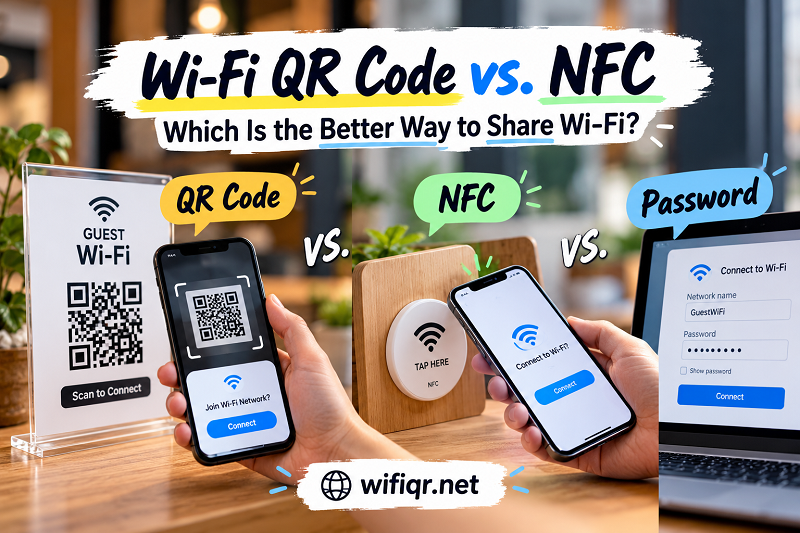
Three Ways to Share Wi-Fi, Three Different Experiences
A Wi-Fi QR code stores network connection details in a scannable format. When someone scans a compatible code with their phone, the device may offer to join the network without requiring the visitor to type the credentials manually. The experience is visual, familiar, and easy to deploy on signs, menus, reception desks, or digital screens.
NFC, short for Near Field Communication, takes a different approach. Instead of pointing a camera at a code, someone brings a compatible phone close to an NFC tag. Depending on how the tag is programmed and how the device handles the information, it can open a connection prompt or display the stored network details. The appeal is obvious: tap, follow the prompt, and move on. However, NFC compatibility and behavior vary across devices and operating systems.
Then there's the classic password. It isn't flashy, but it remains a flexible fallback. Visitors can select the network and enter the credentials manually, whether they read the password from a sign, receive it in a message, or ask someone nearby. The downside? Long passwords, confusing characters, and typing mistakes can turn a simple connection into an unnecessary interruption.
QR Code vs. NFC vs. Password: The Practical Comparison
Forget the marketing hype for a moment. The useful question isn't which technology sounds more advanced; it's which one removes the most friction for your particular audience.
| What matters | Wi-Fi QR code | NFC tag | Manual password |
|---|---|---|---|
| How people use it | Scan with a compatible camera or QR reader | Bring a compatible device close to the tag | Select the network and type the password |
| Initial cost | Can be created and printed at little or no cost | Requires a compatible NFC tag or device | No special hardware required |
| Device compatibility | Broad, but scanning and connection behavior vary | Depends on NFC hardware, software, and tag configuration | Works across most Wi-Fi-capable devices |
| Physical placement | Can be printed in almost any size or displayed digitally | Usually needs a tag placed where people can tap it | Can be printed, displayed, or communicated verbally |
| Remote sharing | Easy to send as an image or document | Less straightforward when the physical tag is elsewhere | Easy to send as text, though security matters |
| Best fallback | Display readable connection details where appropriate | Provide a QR code or manual credentials | Keep a QR code or another convenient option available |
One important distinction: a QR code doesn't guarantee that every phone will connect automatically, and an NFC tag doesn't magically bypass device restrictions. Both methods depend on compatible software, correctly formatted network information, and a Wi-Fi network the device can access.
The Hidden Trade-Off: Convenience vs. Compatibility
QR codes win on distribution. You can print one on a sign, add it to a PDF, put it on a menu, or send it to someone before they arrive. There is no dedicated electronic tag to buy, and the same image can be reproduced wherever it's needed. If you want to understand how network credentials are represented in this format, this guide to qr code wifi password explains the underlying concept.
NFC has a different strength: proximity. When a tag is positioned somewhere people naturally reach, such as a counter or information desk, tapping can feel quicker than opening a camera and framing a code. It also avoids the need for a printed pattern to remain visually clear. But the tag must be configured correctly, placed conveniently, and tested with the devices your visitors actually use.
Manual passwords have one major advantage: flexibility. They remain useful when scanning is unavailable, NFC isn't supported, or someone simply prefers to connect the conventional way. However, sharing credentials verbally can be awkward, and displaying a password publicly may expose it to people who shouldn't have access.
There's no universal winner. QR codes are strong at visibility and distribution, NFC is useful for close-range interactions, and passwords offer a familiar alternative. The smartest choice starts with the user's situation, not the technology's novelty factor.
Which Method Fits Your Situation?
Choose a Wi-Fi QR code when you want simple, low-cost distribution. It's especially practical when the same connection instructions need to appear in several places. A printed sign can serve many visitors without requiring staff to repeat the password, and a digital copy can be shared before an appointment or visit.
Consider NFC when the physical interaction is part of the experience. A tap-to-open setup may be appealing at a dedicated access point where visitors can approach a tag easily. Before investing, test the exact tag and instructions with different phones. NFC support alone doesn't guarantee identical behavior on every device.
Keep manual credentials available when flexibility matters most. This option is valuable for older devices, accessibility needs, unfamiliar scanning interfaces, or situations where a visitor cannot use the preferred method. A backup should be easy to find without making people feel as if they've failed a technology test.
For remote sharing, favor a method that travels easily. A QR code image or a text message can be sent in advance. An NFC tag is tied to a physical object unless you have another way to share its information. However, sending either a QR image or a password to someone remotely means you should consider who else could access that information.
The decision becomes much easier when you stop asking, "Which technology is best?" and instead ask, "What will help my users connect with the least friction?"
Why a Hybrid Setup Often Makes More Sense
Choosing one method doesn't mean you have to ban the others. In many situations, combining a primary method with a practical fallback delivers a better experience than forcing everyone through the same process.
For example, a business can display a Wi-Fi QR code prominently while keeping readable instructions available for people who cannot scan it. An NFC tag can supplement the QR code at a location where tap-based interaction makes sense. Staff can retain the credentials for cases where neither option works as expected.
The important thing is to avoid creating three confusing systems with different instructions. Make the primary option obvious, keep the alternative easy to understand, and ensure that all methods point to the intended network.
Security deserves a place in the decision, too. A QR code containing Wi-Fi credentials can be copied, photographed, or shared. NFC isn't automatically more secure simply because the interaction requires a tap. If you regularly welcome visitors, consider using a guest network with appropriate access restrictions instead of exposing credentials for your primary network. Review access whenever your circumstances change, and update displayed codes or tags if the network credentials are replaced.
Make the Decision Based on Your Users, Not the Technology
Wi-Fi QR codes, NFC tags, and manual passwords solve the same basic problem in different ways. QR codes are easy to reproduce and distribute, NFC can make a physical interaction feel immediate, and passwords remain a versatile fallback. Each has limitations, and none guarantees a perfect connection on every device.
For most situations where low-cost setup and broad distribution matter, a Wi-Fi QR code is a sensible starting point. NFC is worth considering when tap-based access fits the environment and your audience's devices support it. Manual credentials remain useful as a backup, even in a highly automated setup.
The real goal isn't to build the most futuristic Wi-Fi sign on the block. It's to help people get connected without unnecessary questions, wasted time, or awkward interruptions. Pick the method that fits your users, test it with real devices, and keep a backup ready. That's a better experience than chasing technology for technology's sake.