How to Share Wi-Fi With Guests Without Saying the Password
Learn simple ways to share Wi-Fi with guests without reading out a long password. Discover practical tips for faster, easier, and more private Wi-Fi sharing.
“What's the Wi-Fi password?” It's probably one of the most predictable questions whenever someone comes over. And somehow, the answer is never as simple as it should be. You look at the router, find a password packed with uppercase letters, numbers, and random characters, then start reading it out loud while your guest tries to type everything correctly. One wrong character, and you're back to square one. Sharing Wi-Fi shouldn't feel like dictating a product serial number. Fortunately, there are several easier ways to get guests online without turning your password into a public announcement.
- Why Sharing a Wi-Fi Password Can Be More Difficult Than It Sounds
- The Simplest Ways to Share Wi-Fi With Guests
- Why a Wi-Fi QR Code Works So Well for Guests
- Where Should You Put a Wi-Fi QR Code?
- Should You Put the Wi-Fi Password Next to the QR Code?
- Keep Your Wi-Fi Sharing Secure
- Common Mistakes When Sharing Wi-Fi With Guests
- A Better Guest Wi-Fi Experience Doesn't Need to Be Complicated
Why Sharing a Wi-Fi Password Can Be More Difficult Than It Sounds
Wi-Fi passwords are designed to keep unwanted people out, not necessarily to make life convenient for invited guests. A strong password might look something like a completely random combination of letters, numbers, and symbols. That's great for security, but terrible when someone has to enter it manually on a tiny phone keyboard.
There's also the awkwardness of saying a password out loud. If you're at home with a couple of friends, that may not matter much. But imagine a small office, vacation rental, café, or any other place where several people need Internet access. Repeating the same password over and over quickly becomes a tiny task nobody wants to own.
Then there's the inevitable typo. Is that character an uppercase “O” or a zero? Was that a lowercase “l” or a capital “I”? Did you just say a hyphen or an underscore? Suddenly, connecting to Wi-Fi feels like solving a puzzle nobody asked for.
The real problem isn't that Wi-Fi passwords are complicated. It's that sharing credentials and entering credentials are two separate steps, and both create unnecessary friction.
The Simplest Ways to Share Wi-Fi With Guests
The traditional approach is still the obvious one: tell your guests the password. It's immediate, costs nothing, and works with practically any device. The downside is that it depends entirely on someone correctly hearing and entering the information. It's fine for occasional use, but becomes annoying when the same question keeps coming back.
Writing the password on a card or note is another option. This works particularly well when guests need access for several hours or days, such as at a vacation rental or guest room. Instead of asking you, they can simply find the information themselves. But there is still a manual step involved, and a complicated password remains a complicated password.
Some phones and operating systems also offer built-in ways to share Wi-Fi credentials with nearby compatible devices. When everyone is using supported devices and the necessary settings are enabled, this can be extremely convenient. The catch is that these features aren't universal, and they may not be practical when you're sharing Wi-Fi with people using different devices.
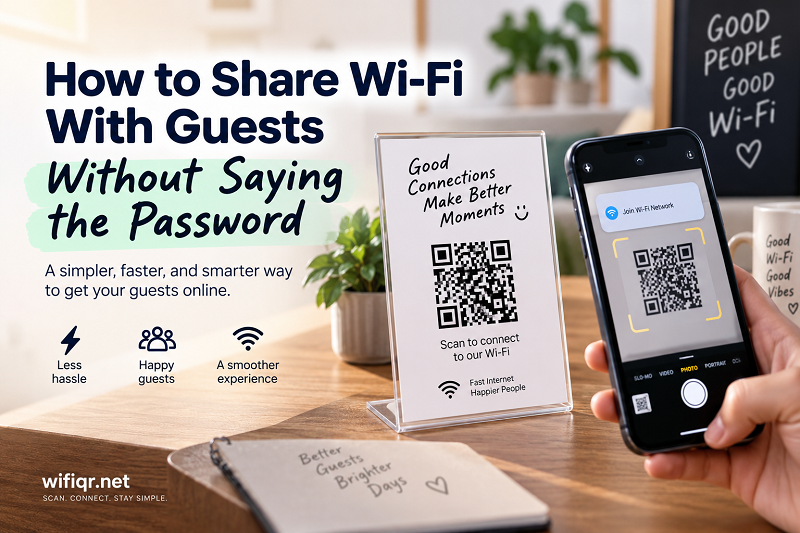
Then there's the QR approach. A wifi qr can package the network information into something a guest can scan instead of manually typing. Point a phone camera at the code, follow the connection prompt, and the tedious part largely disappears. It's a small change, but when several people need access, small changes add up quickly.
Why a Wi-Fi QR Code Works So Well for Guests
The biggest advantage is simple: less typing. Nobody wants to manually enter a long password when they can scan something in a couple of seconds. This becomes even more useful when your password contains characters that are difficult to distinguish or type on a mobile keyboard.
QR codes also work particularly well in shared spaces because the information doesn't need to be repeated verbally. A guest can arrive, spot the code, scan it, and get on with whatever they actually came to do. At home, that might mean getting straight to the music playlist. At an Airbnb, it might mean checking directions or messaging friends. At an office, it means getting online without interrupting whoever happens to be sitting at reception.
There's another subtle benefit: consistency. If you tell five people the password, you have five opportunities for someone to hear it incorrectly. A printed QR code gives everyone the same connection information. There is no guessing whether the final character was a “5” or an “S.”
Of course, a QR code doesn't magically make the network more secure. It simply changes how the credentials are delivered to the device. The security of the underlying Wi-Fi network still depends on the password, router configuration, and who has access to the network.
Where Should You Put a Wi-Fi QR Code?
Once you've decided to make connecting easier, placement matters more than you might expect. A QR code hidden behind the router isn't particularly useful if guests can't find it. The goal is to put it somewhere obvious without making it feel like an ugly piece of technical equipment stuck to the wall.
At home, a small card on a coffee table, entryway, or guest room can work nicely. If friends regularly visit, you could place it somewhere they naturally look when they arrive. The same idea works for a home office, where visitors can scan the code without interrupting you to ask for access.
For short-term rentals, the QR code can become part of the welcome experience. Place it alongside basic house information, check-in instructions, or other details guests are likely to read anyway. There's no need for a giant sign screaming “WI-FI” across the room. A clean, well-designed card can do the job without making the space look like a network closet.
Small businesses have even more options. A café might place the code on a table or counter. A studio or salon could include it near the reception area. An office might display it in a visitor waiting area. The best location is usually somewhere visible, convenient, and accessible to the people who are actually supposed to use the network.
One practical detail is easy to overlook: make the QR code large enough to scan comfortably. A tiny code printed on a busy background might look stylish on a screen but become frustrating in the real world. Give the code enough space around it, maintain good contrast, and test it with a few different phones before putting it out for guests.
Should You Put the Wi-Fi Password Next to the QR Code?
There isn't one universal answer. It depends on how you want your network information to be shared.
A QR-only setup keeps things clean and simple. Guests scan the code and don't necessarily need to know the password at all. This can look especially good in a home, rental property, or business where you want the information presented neatly.
Showing the network name and password alongside the QR code provides a useful backup. If someone's camera can't recognize the code or their device doesn't handle automatic Wi-Fi connection, they can still connect manually. It also makes the card more informative for people who prefer traditional connection methods.
The important thing is to think about the audience and environment. A QR code displayed in a private guest room is very different from one placed in a public waiting area. If you're sharing access with people you don't fully know, consider whether they should be connecting to your primary network or a separate guest network.
Keep Your Wi-Fi Sharing Secure
Convenience is great, but it shouldn't come at the expense of basic network security. If your router supports a guest network, consider using it when giving Internet access to visitors. A guest network can separate visitors from devices and services that you don't want them accessing directly.
Think carefully about where you display your Wi-Fi information, too. A QR code is easy to share, which is exactly why it's convenient. But if the code is publicly accessible, anyone who can scan it may potentially obtain access to the network. That's perfectly reasonable for some environments and completely inappropriate for others.
Your Wi-Fi password also isn't something you need to keep forever. If you've shared it with a large number of people or no longer know who has access, changing the password can be a sensible reset. Just remember that changing the credentials means any previously generated QR code containing the old information will need to be replaced as well.
This is why guest networks are particularly useful for businesses, rental properties, and homes that regularly host visitors. You can make Internet access easy without treating your private network like a public utility.
Common Mistakes When Sharing Wi-Fi With Guests
The first mistake is making guests hunt for the information. A perfectly functional QR code isn't useful if it's hidden somewhere nobody thinks to look. The second is making the printed code too small or placing it on a visually complicated background. QR codes need a little breathing room.
Another common problem is forgetting to update the code after changing the Wi-Fi credentials. A beautifully printed QR code becomes useless the moment it contains outdated network information. If you change the network name or password, remember to update anything that contains the old credentials.
It's also easy to overlook the difference between easy access and unrestricted access. If you're running a business, hosting travelers, or regularly welcoming visitors, giving everyone access to your primary network may not be the best approach. Convenience should work alongside sensible network configuration, not replace it.
Finally, don't assume that every guest wants to solve a technical problem. The whole point of simplifying Wi-Fi sharing is to remove unnecessary friction. If someone has to ask where the password is, figure out which network to select, type a complicated string, and troubleshoot a failed connection, you've recreated the same problem in a different format.
A Better Guest Wi-Fi Experience Doesn't Need to Be Complicated
Sharing Wi-Fi is one of those tiny everyday interactions that can either take five seconds or turn into an oddly complicated conversation. You can read the password aloud, write it down, use a built-in device-sharing feature, or let guests scan a QR code. The right choice depends on the environment, the devices involved, and how much control you want over network access.
For casual home visits, the simplest solution is often enough. For guest rooms, rentals, cafés, offices, and other places where Wi-Fi access is part of the experience, a well-placed QR code can remove a surprising amount of friction. Guests don't have to memorize anything, you don't have to repeat yourself, and nobody has to ask whether that character was a “B” or an “8.”
Good technology doesn't always need to be impressive. Sometimes the best solution is simply the one that makes a boring little problem disappear.