How to Set Up a Wi-Fi QR Code for a Café, Airbnb, or Small Business
Make guest Wi-Fi easier with a QR code. Learn where to place it, what to include, and how cafés, Airbnb hosts, and small businesses can improve Wi-Fi access.
For a café, Airbnb, studio, salon, or small office, Wi-Fi isn't just another technical detail. It's part of the experience. People expect to connect quickly, especially when they're sitting down with a laptop, checking directions, uploading photos, joining a video call, or simply trying to get a little work done. The problem starts when getting online requires asking someone for a password, finding the right network, typing a long string of characters, and wondering whether that final character was a zero or the letter O. None of this is particularly difficult, but it creates friction where there doesn't need to be any.
- Why Guest Wi-Fi Deserves More Attention
- Where a Wi-Fi QR Code Makes Sense
- Start With the Right Network
- Create the QR Code With the Correct Information
- Make the QR Code Easy to Find
- Don't Let Design Get in the Way
- Should You Display the Password Too?
- Think About What Happens When the Password Changes
- A Small Detail That Makes a Big Difference: Test From the Guest's Perspective
- Common Mistakes Businesses and Hosts Make
- Turn Wi-Fi Into a Background Feature
A simple QR code can turn that whole process into something much smoother. Instead of making every guest ask an employee, host, or receptionist for the credentials, you can give them a clear place to scan and let their phone handle most of the work. The trick isn't simply creating a code and sticking it somewhere. A good guest Wi-Fi setup is about placement, usability, network security, and making the experience feel effortless.
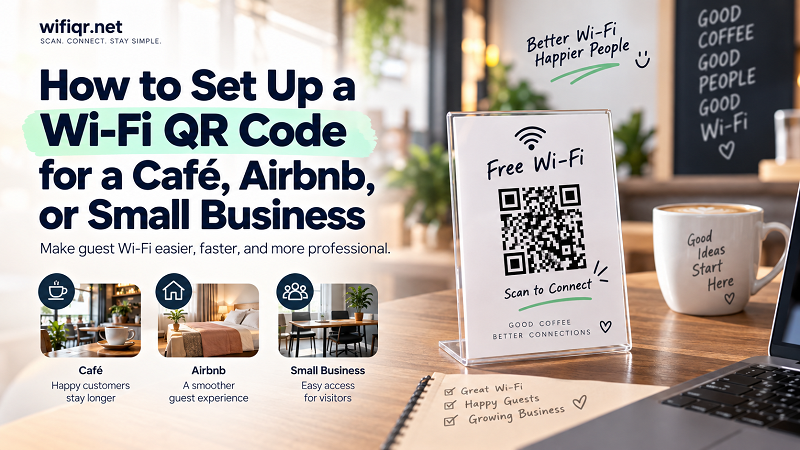
Why Guest Wi-Fi Deserves More Attention
Think about the first few minutes after a customer walks into a café. They find a seat, put their bag down, order a drink, open their laptop, and immediately look for Wi-Fi. If they have to interrupt a busy employee to ask for the network name and password, you've introduced an unnecessary interaction before they've even settled in.
The same thing happens in short-term rentals. Guests arrive after traveling, open the welcome instructions, and start looking for the basics: the door code, house rules, heating instructions, and Wi-Fi. If the Internet credentials are buried somewhere or written in a way that's difficult to use, it's one more tiny frustration added to an already busy arrival.
Small offices have a similar problem. Visitors may need Internet access for a meeting, presentation, or quick email, but reception staff shouldn't have to repeat the same credentials throughout the day.
None of these situations represents a major technical challenge. That's precisely why they are worth fixing. When something happens dozens of times, even a few seconds of unnecessary friction can become surprisingly annoying.
Where a Wi-Fi QR Code Makes Sense
The best use cases are places where multiple people need temporary or recurring access to the same network. Cafés are an obvious example. A customer can sit down, scan the code, and get online without waiting for staff. If the business wants to make the process even more visible, the code can be placed directly on tables, counters, menus, or small tabletop signs.
Airbnb and other short-term rental properties are another natural fit. Guests don't necessarily want to message the host simply because they can't find the Wi-Fi password. A QR code placed next to the router, on a welcome card, or inside the house guide gives them a self-service option from the moment they arrive.
Small businesses can use the same approach for customers, visitors, and temporary guests. A waiting room, reception desk, meeting room, coworking area, or studio can all benefit from making Wi-Fi access immediately visible.
The common thread is simple: the person who needs Internet access shouldn't have to ask the person who manages the space every time they need it.
Start With the Right Network
Before worrying about design or placement, decide which network your guests should actually use. This is one of the most important parts of the setup and one that is easy to overlook.
If your router supports a guest network, using one can be a sensible option for visitors. It allows you to provide Internet access without necessarily giving guests the same network environment used by your personal computers, smart devices, printers, cameras, or other equipment.
For a café or small business, this distinction becomes even more important. Customers don't need access to internal business devices just because they need Internet access. The same principle applies to a home-based business or Airbnb property where personal and guest devices may otherwise share the same network.
The QR code doesn't determine your network security. It simply makes the credentials easier to deliver. The underlying router configuration still matters.
Create the QR Code With the Correct Information
Once you've chosen the network that guests should use, the next step is creating a QR code containing the correct Wi-Fi information.
This is where a wifi qr code generator can be useful. You enter the network details, generate the code, and then test it before putting it in front of customers or guests. The important word here is test. Never assume a QR code works just because it was generated successfully.
Scan it with more than one phone if possible. Try it under the same lighting conditions where guests will actually use it. Check that the correct network appears and that the connection process behaves as expected.
This small test can save you from a surprisingly awkward situation later. Imagine printing 100 cards for a café only to discover that the password was entered incorrectly. Suddenly, your elegant self-service system has become a collection of decorative squares that connect to absolutely nothing.
Make the QR Code Easy to Find
A QR code that nobody notices isn't doing much work.
For a café, putting the code directly on the table can be effective because customers naturally look there while they're sitting down. A small sign near the counter can work too, particularly if customers tend to wait there before ordering.
For an Airbnb, think about the guest journey. Where would someone look for information immediately after entering? A welcome booklet, kitchen counter, desk, or area near the router may make sense. You don't need to cover every surface with a QR code. One obvious, well-placed sign is usually better than five confusing ones.
In an office, reception and meeting rooms are logical locations. Visitors shouldn't have to walk around looking for a tiny sticker behind a monitor.
Visibility doesn't mean making the QR code enormous. It means giving it enough physical space, adequate contrast, and a clear label so people immediately understand what they're looking at.
Something as simple as “Scan to connect to Wi-Fi” is often enough.
Don't Let Design Get in the Way
There is a temptation to make every branded QR code look fancy. That's understandable, especially for cafés, hotels, restaurants, and creative businesses that care about visual identity.
But QR codes have one job: be scanned.
You can absolutely put your brand around the code, use a professionally designed card, or add a short message. Just don't sacrifice readability for aesthetics. A heavily decorated QR code with poor contrast, insufficient spacing, or an overly complicated background may look great in a design file and perform terribly on a customer's phone.
Think of it like a menu. It can be beautiful, but if nobody can read it, the design has failed.
Give the code enough breathing room. Use a clean surface. Make sure it's large enough for the distance from which people will scan it. Then test the final printed version rather than testing only the original file on your computer screen.
Should You Display the Password Too?
This depends on the environment.
A QR-only setup creates a clean and simple experience. Guests scan the code and don't need to manually type anything. For a café table or Airbnb welcome card, this can look particularly neat.
Displaying the network name and password alongside the QR code provides a fallback. If a guest's phone doesn't recognize the code properly, they can still connect manually. It also helps people who prefer to enter the information themselves.
For many businesses, including the network name is useful even if the password isn't prominently displayed. It tells guests exactly which network they're supposed to connect to and reduces confusion when several networks are visible.
There's no universal design rule here. The right balance depends on whether the space is private, semi-public, or completely public and how much control you want over access.
Think About What Happens When the Password Changes
This is the part people often discover too late.
Suppose you've printed a beautiful Wi-Fi card, placed one at every table, added one to your Airbnb welcome book, and put another at reception. Then you change the Wi-Fi password.
Every printed QR code containing the old credentials is now outdated.
That doesn't mean you shouldn't use QR codes. It simply means you should treat them as part of your network information and maintain them accordingly. If your Wi-Fi credentials change, update the QR code wherever it has been published.
For a small business with a handful of signs, that's easy. For a larger property with QR codes in many locations, keeping track of them becomes part of basic operational maintenance.
This is also a good reason to avoid printing unnecessary copies. Put the code where it provides value, keep those locations documented, and make updating them straightforward.
A Small Detail That Makes a Big Difference: Test From the Guest's Perspective
There's a useful trick before launching your new setup: stop thinking like the person who created it and act like a customer.
Walk into the café.
Enter the Airbnb.
Sit in the waiting room.
Then ask yourself: If I knew nothing about this place, would I immediately understand how to get online?
Can you find the Wi-Fi information without asking anyone? Is the QR code obvious? Is there enough light to scan it? Is the sign readable? Does the code work from the normal position where someone would sit or stand?
This kind of real-world test catches problems that aren't obvious on a computer screen.
You might discover that the QR code is behind a plant, the table reflection makes it difficult to scan, the sign is too small, or guests can't tell what the code is for. Fixing those details takes minutes and can dramatically improve the experience.
Common Mistakes Businesses and Hosts Make
One of the most common mistakes is treating the QR code as the entire solution. It isn't. The code is only one part of the guest experience. The network itself needs to be configured properly, the information needs to be accurate, and the code needs to be accessible.
Another mistake is placing the code somewhere technically convenient but practically useless. A QR code next to the router may make sense to the person who installed it, but if the router is hidden inside a cabinet, guests aren't going to crawl around looking for it.
Tiny printed codes are another problem. Digital screens can make a QR code look enormous, while the same code printed on a small card may be much harder to scan.
And then there's the classic mistake: forgetting that a network password changed three months ago while the old QR code is still sitting on every table.
The solution to most of these problems isn't complicated. Make it visible, make it readable, test it, and keep the information current.
Turn Wi-Fi Into a Background Feature
The best guest Wi-Fi experience is almost invisible. Customers shouldn't have to think about how the system works. Airbnb guests shouldn't need to send a message asking where the password is. Visitors shouldn't have to interrupt reception just to get online.
They should simply see the information, scan when needed, and move on.
That's what makes a Wi-Fi QR code useful for cafés, Airbnb hosts, and small businesses. It isn't about adding another piece of technology to the room. It's about removing a tiny obstacle that customers encounter again and again.
A good setup doesn't shout for attention. It quietly does its job.
And when a customer can sit down, scan once, get connected, and immediately get back to their coffee, meeting, vacation, or work, that's exactly how technology should feel: simple enough that nobody has to think about it.