Can a Wi-Fi QR Code Connect to a Hidden Network?
Learn how Wi-Fi QR codes work with hidden networks, what the hidden SSID setting changes, and why a code may scan but fail to connect.
You've got a Wi-Fi network that doesn't show up in the list of available connections. You generate a QR code, point your phone at it, and expect everything to work like magic. Instead, the camera recognizes the code, but the connection never happens. What gives?
- A Hidden Wi-Fi Network Isn't the Same as a Password-Protected Network
- The Small QR Detail That Changes the Connection Process
- Three Configurations That Look Almost Identical but Behave Differently
- Scenario 1: The Network Is Visible, but the QR Code Marks It as Hidden
- Scenario 2: The Network Is Hidden, but the QR Code Doesn't Indicate That
- Scenario 3: The QR Code Matches the Network, but the Device Still Can't Connect
- Should You Hide the Network or Make Joining Easier?
- When a New QR Code Helps—and When It Changes Nothing
- The Smarter Setup for a Network People Actually Need to Use
Here's the twist: a Wi-Fi QR code can contain the correct network name and password and still fail to connect a device to a hidden network. The missing piece may be a small configuration detail, a device compatibility issue, or a mismatch between what the QR code describes and how the router actually operates.
Let's unpack what's happening, why hidden networks behave differently, and what you should consider before printing a QR code for a network people need to access.
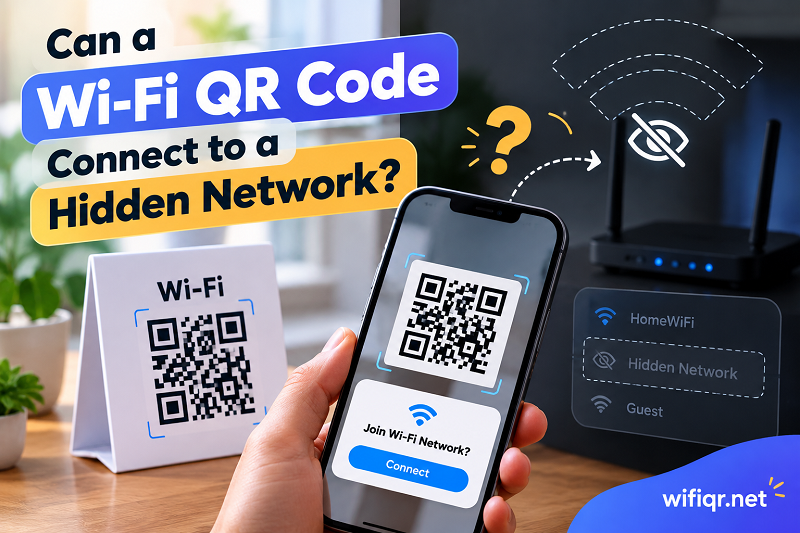
A Hidden Wi-Fi Network Isn't the Same as a Password-Protected Network
First, let's clear up a common misconception. A password-protected Wi-Fi network and a hidden Wi-Fi network are two different things.
A typical Wi-Fi network broadcasts its name, also called the SSID (Service Set Identifier). Nearby devices can discover that name and display it in their list of available networks. If the network requires a password, users must provide the appropriate credentials before connecting.
A hidden network, on the other hand, is configured not to broadcast its SSID in the usual way. The network still exists, and its security requirements haven't magically disappeared. It simply becomes less visible during the ordinary network-discovery process.
That distinction matters when you're sharing access. A device connecting to a hidden network may need to know the exact network name in advance instead of discovering it automatically. Capitalization, spaces, and other characters can matter because the SSID must match the actual network configuration.
Hiding a network also shouldn't be treated as a meaningful security upgrade by itself. It doesn't replace strong Wi-Fi encryption, a secure password, or sensible access controls. If your goal is to keep unauthorized users off your network, those measures deserve far more attention than whether the network name appears in a scan.
The Small QR Detail That Changes the Connection Process
A Wi-Fi QR code isn't simply a picture of your password. It can encode a structured string containing the information a compatible device needs to attempt a connection.
A common format looks like this:
WIFI:T:WPA;S:ExampleNetwork;P:ExamplePassword;H:true;;
Here's what those fields mean:
- T:WPA identifies the security type specified in the QR data. The appropriate value depends on the network's actual security configuration.
- S:ExampleNetwork contains the Wi-Fi network name, or SSID.
- P:ExamplePassword contains the network password.
- H:true indicates that the network is hidden.
The examples above use fictional credentials. Never use a real Wi-Fi password in a public demonstration or article.
Notice that last field. The hidden-network indicator tells a compatible QR reader that the network shouldn't be treated like an ordinary, openly advertised SSID. If the network is hidden but the QR code doesn't represent that configuration correctly, the device may not connect as expected.
However, H:true isn't a universal command that forces every phone to join every hidden network. The QR reader, operating system, and Wi-Fi implementation all influence what happens after a scan. Some devices may handle the connection automatically, while others may require additional interaction or a different connection method.
For anyone creating a code with a qr for wifi tool, the practical lesson is simple: the encoded information should describe the real network, not just contain a name and password that look correct.
Three Configurations That Look Almost Identical but Behave Differently
Two QR codes can look exactly alike on paper while producing different results. That's because the visible pattern doesn't tell you whether the underlying network settings match.
Consider these three scenarios.
Scenario 1: The Network Is Visible, but the QR Code Marks It as Hidden
Imagine that your router broadcasts StudioNetwork, but the QR code includes H:true.
The network name and password might both be correct. The mismatch is the hidden-network setting. Depending on the device and QR reader, the connection process may behave differently from what you expect because the encoded instructions don't reflect the router's configuration.
The takeaway: Don't mark a network as hidden simply because you want the QR code to be more secure. The hidden flag should reflect the actual network setup.
Scenario 2: The Network Is Hidden, but the QR Code Doesn't Indicate That
Now imagine the opposite. Your router doesn't broadcast its SSID, but the QR code omits the hidden-network indicator.
A compatible reader may still attempt to connect using the supplied network name and credentials. That doesn't mean every device will discover or join the network successfully. Device behavior varies, and the missing indicator can affect how some implementations handle the connection.
The takeaway: If your router is configured to hide its SSID, include the correct hidden-network information when the QR format and generator support it. Then verify that the resulting code works with the devices your visitors actually use.
Scenario 3: The QR Code Matches the Network, but the Device Still Can't Connect
This is where things get more interesting. Suppose the SSID, password, security type, and hidden-network setting are all correct. The code scans, but the connection still fails.
The QR code may be doing its job perfectly. The remaining obstacle could involve unsupported security settings, device-specific behavior, a router configuration issue, or a signal that's too weak for a reliable connection.
A QR code can provide connection information, but it can't repair the router, improve the signal, or make an incompatible device support a particular security protocol.
The takeaway: Don't keep generating new QR codes when the encoded information already matches the network. At some point, the investigation needs to move beyond the code itself.
Should You Hide the Network or Make Joining Easier?
This decision depends on what the network is for, not on which setup sounds more technical.
For a home network used by a small group of trusted people, a visible SSID protected by strong security is often the simpler choice. People can identify the correct network, scan a QR code if supported, and connect without needing to understand hidden-network behavior.
For a network that must remain hidden for operational or administrative reasons, QR-based access may still be useful. Just make sure the code accurately represents the configuration and that the intended devices can use it reliably.
Shared spaces introduce another consideration. If you're providing Wi-Fi for customers, guests, or visitors, the experience should be straightforward. A beautiful QR code that nobody can use isn't much of an improvement over asking everyone to type a long password.
Think about these questions before choosing your setup:
- Who needs access? A household, a handful of employees, or hundreds of visitors may require different approaches.
- What security controls are in place? Strong authentication and appropriate access restrictions matter more than hiding the network name.
- Which devices must connect? Older phones, managed company devices, and different operating systems may behave differently.
- What happens when the configuration changes? A new SSID, password, or security mode may require an updated QR code.
The best setup isn't necessarily the most complicated one. It's the configuration that meets your security requirements without creating unnecessary friction for legitimate users.
When a New QR Code Helps—and When It Changes Nothing
Generating a replacement QR code makes sense when the information encoded in the original no longer matches the network.
For example, suppose you rename the SSID, change the password, or switch to a different security configuration. The old code still contains the previous details. Creating a new code with the updated information is a sensible next step.
The same logic applies when the network's hidden status changes and your generator supports the corresponding setting. The QR code should reflect the new configuration.
But replacing the code won't solve every connection problem. If the credentials are correct and the hidden-network information matches, creating five more QR codes with identical data won't make a device suddenly support an incompatible security mode.
A useful way to separate these possibilities is to consider what happens when someone attempts to connect manually. If the device also struggles to connect when the network name and credentials are entered through its Wi-Fi settings, the problem may lie outside the QR code. If manual connection works but scanning doesn't, pay closer attention to the QR format, the scanning application, and the device's handling of Wi-Fi connection requests.
This isn't a perfect diagnostic test, but it helps distinguish an issue with the encoded instructions from a broader network or device problem.
One more detail deserves attention: QR codes can contain sensitive access information. Anyone who can read a Wi-Fi QR code may be able to retrieve the credentials encoded inside it, depending on the scanning method. Treat a code containing your private network password accordingly, and replace the credentials if access needs to be revoked.
The Smarter Setup for a Network People Actually Need to Use
Hidden Wi-Fi networks and QR codes can work together, but success depends on more than getting the password right. The network name, security configuration, hidden status, QR encoding, and receiving device all need to cooperate.
If you're setting up a network for everyday use, start with a configuration that's secure and compatible with the devices people will bring. If the network must remain hidden, use a QR generator that supports the required settings, make sure the encoded information matches the router, and test the code on more than one compatible device before distributing it.
Most importantly, don't confuse a successful scan with a successful connection. The scan only tells you that a device can read the code. Joining the network is a separate process with its own requirements.
Get those details right, and a Wi-Fi QR code becomes a genuinely convenient way to share access instead of another mysterious square that leaves everyone staring at their phones.