WiFi Password to QR Code: Share WiFi Without Typing
Turn your WiFi password into a QR code and make network sharing easier. Learn what goes into a WiFi QR code, how it works, and where to use it.
There is a particular kind of frustration that only appears when someone asks for your Wi-Fi.
- Your Wi-Fi Password Is Only One Piece of the Puzzle
- From Password to QR: What's Actually Happening?
- Why Typing the Password Is More Annoying Than It Sounds
- Turning a Wi-Fi Password Into a QR Code Doesn't Mean Making It Public
- What About Privacy When You Create the QR?
- You Don't Need to Rebuild Your Wi-Fi
- Turn Your Wi-Fi Details Into a QR Code
- Where Does a Wi-Fi QR Code Make Sense?
- A QR Code Doesn't Have to Be Ugly
- The Small Upgrade That Makes Wi-Fi Feel Easier
You know the password. They know how to type. Everyone has a phone. And yet, somehow, the next 60 seconds become a miniature troubleshooting session.
“Is that an uppercase B?”
“No, the number 8.”
“Was there a dash after that?”
“Wait… let me check.”
A strong Wi-Fi password is great for security. It is just not particularly great for sharing.
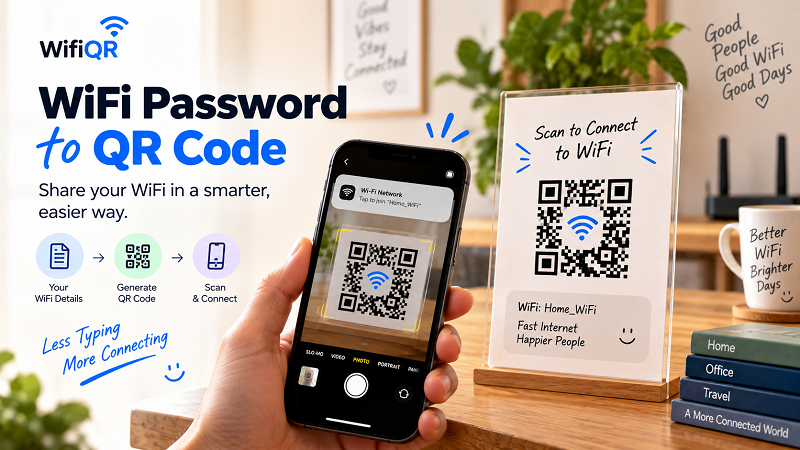
That is why turning your Wi-Fi details into a QR code can be such a useful little upgrade. Instead of making people manually enter a string of letters, numbers, and symbols, you give them a visual shortcut that their phone can read.
The idea is simple: less typing, fewer mistakes, faster connection.
Your Wi-Fi Password Is Only One Piece of the Puzzle
When people hear “Wi-Fi QR code,” they often imagine a QR code containing nothing more than the password.
That's not quite how it works.
A Wi-Fi connection can involve several pieces of information, including the network name, password, and security configuration. A properly formatted Wi-Fi QR code packages the relevant information into a structure that a compatible device can interpret.
Think of it as putting several pieces of information into one digital envelope.
Instead of telling someone:
The network is this, the password is that, and the security uses this setting…
you give them one thing to scan.
The phone does the tedious part.
From Password to QR: What's Actually Happening?
The process sounds more technical than it really is.
You start with the Wi-Fi details you already have. Those details are formatted into a Wi-Fi QR code. You then display or print the resulting code somewhere people can access it.
The basic flow looks like this:
Wi-Fi details → QR code → Scan → Connection
The QR code isn't broadcasting your Wi-Fi signal. It isn't replacing your router. And it isn't somehow creating internet access out of thin air.
It is simply a convenient way of communicating the network information.
That's an important distinction because it explains why the same concept works so well in different environments. Whether you're sharing a home network with friends or providing guest access at a business, the QR is solving an information-sharing problem.
Why Typing the Password Is More Annoying Than It Sounds
Let's say your Wi-Fi password is:
SummerHouse!84_Network
It doesn't look outrageous.
Now imagine saying it aloud to someone across the room.
Then imagine they type:
SummerHouse!84-Network
One character is different.
The password doesn't work.
Now you're checking the router, comparing characters, deleting the old password, typing it again, and wondering why something so simple has become a group activity.
This gets even more frustrating with passwords containing characters that are visually similar or difficult to communicate verbally.
A QR code takes that human error out of the middle of the process.
Instead of translating information from your voice → their ears → their keyboard, the phone reads the information directly.
That's a much shorter path.
Turning a Wi-Fi Password Into a QR Code Doesn't Mean Making It Public
This is where a reasonable question comes up:
“If I put my Wi-Fi in a QR code, am I making my password public?”
Not automatically.
The QR code itself is simply a representation of the Wi-Fi connection information. The important question is where you put the QR code and who can access it.
A QR displayed inside your home for visiting friends is very different from one printed on a sign outside a building.
The same principle applies to businesses.
A café may intentionally make its guest Wi-Fi QR code visible to customers. A private office network, on the other hand, may need to be restricted to employees or specific visitors.
The QR doesn't decide who should have access. You do.
Treat it like any other way of sharing your network credentials.
What About Privacy When You Create the QR?
This is worth checking before using any online tool with sensitive information.
Different QR generators can handle the information they receive in different ways. Some may process data in the browser, while others may send information to a server as part of the generation process.
If you're dealing with a private home network or a business network, it's reasonable to ask what happens to the information you enter.
With WifiQR, the Wi-Fi information is encoded directly into the QR code and is not stored on the server. There is no account requirement and no need to create a hosted Wi-Fi link just to share your network.
That distinction matters because a static QR code can contain the connection information itself rather than depending on a separate online destination.
Of course, the finished QR code should still be treated with the same care you would give the password. Anyone who can access a QR containing private Wi-Fi credentials may potentially be able to use that information.
Convenience is great. Common sense is still invited to the party.
You Don't Need to Rebuild Your Wi-Fi
Another useful thing to understand: creating a QR code doesn't require changing your existing network.
You don't need to rename your Wi-Fi.
You don't need to create a new password.
You don't need to change your router settings simply because you want an easier way to share the connection.
You can use the Wi-Fi details that already exist and create a QR representation of them.
That makes the idea particularly useful for networks that are already configured and working exactly as they should.
The QR is an additional sharing method, not a replacement for your existing setup.
Turn Your Wi-Fi Details Into a QR Code
Once your network name, password, and security information are ready, the actual process is straightforward.
Use a wifi password to QR code tool to enter the relevant Wi-Fi details and generate the code. Before downloading or printing it, scan the result yourself and make sure it identifies the correct network.
Then test it on another compatible device if possible.
That's the whole idea.
No need to manually type the password every time someone arrives. No need to create a complicated guest-access system for a simple home network. Just keep the QR somewhere convenient and let the phone handle the repetitive part.
Where Does a Wi-Fi QR Code Make Sense?
The obvious location is next to the router.
But that's hardly the only option.
A guest room can have one on a small card. A vacation rental can include it alongside check-in information. A café can place it on tables or near the counter. An office can display one in a meeting room for visitors. A studio, salon, coworking space, or event venue can use one wherever guests regularly need internet access.
Even at home, a small printed QR code can be surprisingly useful.
You might have family members visiting for a weekend, friends staying overnight, or a new device that needs to connect. Instead of searching for the password every time, the information is already sitting where people need it.
The best location isn't necessarily the most visible one.
It's the one where someone naturally thinks:
“I need Wi-Fi.”
A QR Code Doesn't Have to Be Ugly
Functional doesn't have to mean boring.
You can put a Wi-Fi QR code into a small sign, card, menu, desk display, or welcome sheet. Add a short instruction such as:
Scan to connect to Wi-Fi
You can also include the network name so people know exactly what they're connecting to.
Just don't sacrifice scanability for aesthetics.
A QR code with excessive decoration, weak contrast, distorted proportions, or a distracting background may look impressive in a design mockup and perform terribly in front of an actual phone camera.
The goal isn't to win a design award.
The goal is to get someone online.
The Small Upgrade That Makes Wi-Fi Feel Easier
There is nothing revolutionary about replacing manual typing with scanning.
That's exactly why it works.
Good user experience often comes from removing tiny points of friction that people have learned to tolerate. Nobody wakes up thinking, “I wish I could spend more time typing Wi-Fi passwords today.”
They just want to connect.
Once the Wi-Fi information has been turned into a QR code, the process becomes almost invisible. Guests see the code, scan it, and move on with whatever they actually came to do.
Dinner continues.
The meeting starts.
The customer gets online.
The Airbnb guest stops searching through the welcome message.
And nobody has to ask, “Was that an uppercase S or a 5?”
Sometimes the best technology upgrade is the one that makes a familiar annoyance disappear.