How to Share WiFi Without Saying the Password
Tired of repeating your WiFi password? Discover a faster, easier way to share WiFi with guests at home, cafés, offices, events, and more.
“What's the WiFi password?”
- Why Sharing a WiFi Password Can Be More Annoying Than It Should Be
- A WiFi QR Code Turns a Password Into a Quick Scan
- Where This Makes the Biggest Difference
- At Home
- In Cafés and Restaurants
- In Offices and Studios
- At Hotels and Homestays
- During Parties and Small Events
- Where Should You Put the QR Code?
- Make the Connection Easy, But Keep Your Network Under Control
- Stop Making WiFi Sharing a Conversation
It’s probably one of the most predictable questions whenever someone walks into your home, office, café, studio, or guest space. And somehow, the answer is rarely as simple as it should be. You either have to remember a long string of characters, find the password on a router sticker, open a saved note, or spell out every capital letter, number, and symbol while someone tries to type it correctly.
Then comes the inevitable: “Can you say that again?”
There’s a much simpler way to handle the whole situation. Instead of making people type a password character by character, you can let them scan a code and get connected with far less friction.
Why Sharing a WiFi Password Can Be More Annoying Than It Should Be
WiFi passwords are designed to keep networks secure, not to be fun to share. A strong password might look something like HomeNet#82!Qz7x, which is great from a security perspective but not exactly something you want to repeat five times while your guest stands there with their phone.
The problem gets even more obvious when several people need access. At a party, one person asks for the password, then another asks, then someone types it incorrectly, and suddenly you're playing the world's least exciting game of telephone. Even a simple typo can prevent a device from connecting.
There’s also the awkward situation where you simply don't remember your own password. Maybe the router was installed years ago. Maybe someone else configured the network. Maybe you changed the password once and completely forgot about it. The WiFi still works perfectly, but sharing it becomes surprisingly inconvenient.
A WiFi QR Code Turns a Password Into a Quick Scan
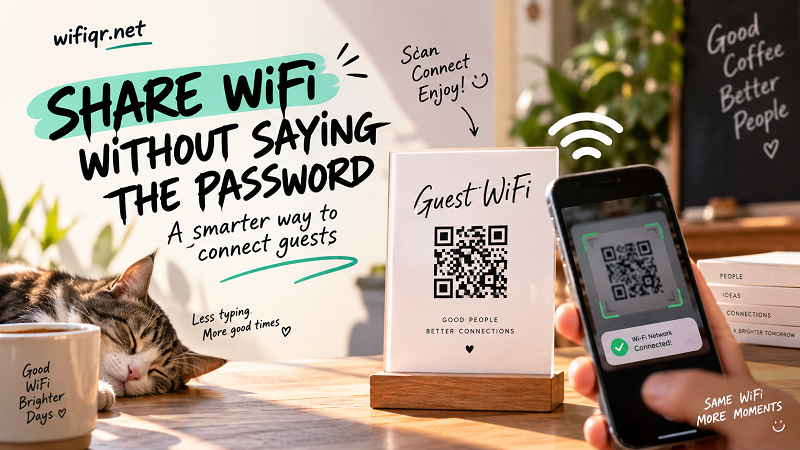
This is where a wifi qr code can make a noticeable difference. Instead of handing someone a string of characters and asking them to type it manually, you can display a scannable code containing the necessary WiFi connection information.
The idea is simple: the network details are encoded into the QR code, and a compatible phone can read those details when the code is scanned. That removes much of the manual typing that normally makes WiFi sharing annoying.
It also changes the experience for the person providing the network. You don't have to stop what you're doing every time someone asks for access. Put the code somewhere visible, and guests can handle the connection themselves.
That's especially useful when your WiFi is shared frequently.
Where This Makes the Biggest Difference
At Home
Having friends or family over should be about talking, eating, watching a movie, or arguing over what to play next—not repeatedly spelling out the WiFi password.
A small printed code near the entrance, living room, desk, or router can give visitors an obvious place to look when they need internet access. Once it's set up, you don't need to keep reaching for your phone whenever someone asks.
For households with frequent visitors, this can be one of those tiny improvements that seems almost silly until you start using it. Then going back to manually sharing passwords feels unnecessarily old-school.
In Cafés and Restaurants
Public-facing businesses have a different challenge: the same WiFi information may be requested dozens of times a day.
Staff shouldn't have to interrupt their work just to answer “What's the WiFi password?” A clearly displayed code can let customers find the information themselves while keeping the staff focused on serving them.
It can be placed near the counter, on a table, alongside a menu, or in another visible location. The goal isn't to make the QR code the star of the show. It should simply be there when someone needs it.
In Offices and Studios
Guest WiFi is common in offices, coworking spaces, meeting rooms, photography studios, and creative spaces. Visitors may only need internet access for an hour, but that doesn't mean someone should spend five minutes helping them enter a complicated password.
A dedicated guest network combined with an easy sharing method can make the process much smoother. It also means visitors don't necessarily need access to the same network used by internal devices.
For businesses, that distinction matters. Convenience and network organization don't have to be opposites.
At Hotels and Homestays
Guests expect connectivity to be easy. After traveling, checking in, and dropping their bags, the last thing they want is to hunt around for a tiny router label or call someone to ask for a password.
A QR code placed in a guest room or welcome area can make the information immediately accessible. It works particularly well when paired with a simple label such as “Connect to Guest WiFi.”
The best guest experience is often the one that doesn't require an explanation.
During Parties and Small Events
Events create the perfect storm for WiFi requests. Lots of people, lots of phones, and usually at least one person asking for the password before they've even taken off their jacket.
Instead of announcing the password to the entire room, you can place the connection information somewhere guests can find it themselves. Put it near the food table, entrance, check-in desk, or another high-traffic area.
One small code can save a surprising amount of repetition.
Where Should You Put the QR Code?
Creating the code is only half the job. Placement determines whether people actually use it.
Think about where guests naturally look when they arrive. In a café, that might be the counter or table. In a home, it could be near the router or in a common area. In a hotel or homestay, a welcome card or bedside information area may make more sense.
Visibility matters, but so does distance. A tiny QR code hidden behind a plant isn't particularly useful, no matter how perfectly it works. Make sure the code is large enough to scan comfortably and isn't distorted by a poor-quality print.
You can also add a short instruction such as “Scan to connect” so nobody has to guess what the mysterious square is supposed to do.
Make the Connection Easy, But Keep Your Network Under Control
Convenience shouldn't mean giving every visitor unrestricted access to everything on your network.
If your router supports a guest network, consider using one for visitors. This can separate guest access from devices and services that you want to keep private. The exact options depend on your router and network setup, so check the manufacturer's documentation for the security features available to you.
Before displaying your code publicly, double-check the network information as well. A QR code with an incorrect password is still an incorrect password—just presented in a much prettier format.
It's also worth testing the code with another device before printing a stack of copies. A quick test can catch mistakes before your guests do.
Stop Making WiFi Sharing a Conversation
WiFi should be one of those things people barely notice. They arrive, connect, and get on with whatever brought them there.
When sharing a network requires spelling out a complicated password, the technology suddenly becomes the obstacle. A simple scan can remove that unnecessary friction and make the whole experience feel much more seamless.
Whether you're welcoming friends at home, running a café, managing an office, or hosting guests, the principle is the same: make the easy thing easier.
You don't need to turn WiFi access into a big production. Put the information where people can find it, make the connection straightforward, and let your guests get online without asking you the same question for the hundredth time.