How to Share Wi-Fi With International Guests Easily
Help international guests connect to Wi-Fi with clear multilingual signs, simple QR instructions, and an easy backup option.
Imagine this: a guest checks into your vacation rental after a long international flight. They’re tired, hungry, and ready to get online. You point to the Wi-Fi instructions, smile, and explain how to connect. They smile back, look at the sign, and give you that familiar expression that says, “I have absolutely no idea what this means.”
- A Working Wi-Fi QR Code Can Still Leave Guests Confused
- Design the Sign Around What Guests Need to Understand
- Build a Multilingual Wi-Fi Sign Without Turning It Into a Poster
- Give Guests a Clear Next Step If Scanning Isn't Enough
- Put the Instructions Where the Language Barrier Actually Happens
- A Simple Wi-Fi Sign Example for International Visitors
- Make Wi-Fi Access Easier Before the Next Guest Arrives
Nobody has done anything wrong. Your Wi-Fi works, the password is correct, and your guest has a perfectly good smartphone. The problem is communication. When people don't speak the same language, even a simple task like connecting to the internet can become an awkward little adventure.
For hotels, vacation rentals, cafés, coworking spaces, and other businesses that welcome international visitors, the goal should be simple: help guests understand what to do without needing a personal demonstration every time. A thoughtfully designed Wi-Fi QR code sign can make that happen. The trick is to design the entire experience around your guest, not just the technology.
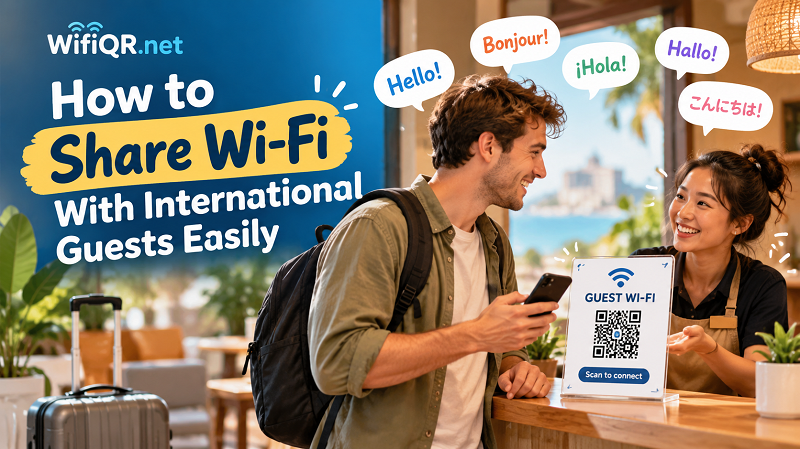
A Working Wi-Fi QR Code Can Still Leave Guests Confused
A QR code is convenient, but convenience isn't automatic. Someone who uses QR codes every day might immediately recognize what to do. Another person might wonder whether the square on the wall opens a website, displays a menu, or leads to a payment page. Without context, a QR code is just a pattern of tiny squares.
This is where many Wi-Fi signs miss the mark. They display a large code, perhaps a network name, and assume everyone will figure out the rest. That assumption works until a visitor arrives who has never connected to Wi-Fi this way.
The solution isn't to add a paragraph of instructions in six languages. It's to remove uncertainty before it starts. A clear heading such as “Guest Wi-Fi” tells visitors what the code is for, while a short instruction like “Scan to connect” gives them an immediate next step. These few words can communicate more effectively than a complicated explanation.
Think of your sign as a tiny welcome desk that never gets tired, never gets distracted, and doesn't need to speak five languages fluently. Its job is to make the next action obvious.
Design the Sign Around What Guests Need to Understand
Before choosing colors, fonts, or decorative elements, ask yourself one question: what does a first-time visitor need to know to get online?
Usually, the answer comes down to three things: what the QR code does, what network they should expect to join, and what to do if the process doesn't go as planned. Everything else is optional.
Start with a prominent heading such as “Guest Wi-Fi.” Place a short scanning instruction directly beneath it, close enough to the code that visitors naturally connect the two. If your property offers multiple networks, include the guest network's name so people can recognize the correct connection.
Keep the visual hierarchy clean. The heading should be easy to spot, the QR code should be easy to find, and the instructions should be readable at a glance. Fancy typography and elaborate illustrations might look impressive in a design portfolio, but they aren't helping anyone if the important information gets buried.
You can create a polished sign without turning it into a branding project that takes all afternoon. A simple layout, readable text, and a clear purpose will often outperform a crowded design packed with unnecessary details.
Build a Multilingual Wi-Fi Sign Without Turning It Into a Poster
Translating every sentence into every possible language sounds inclusive, but it can quickly turn a small sign into a wall of text. Visitors may end up scanning the page instead of scanning the code.
A better approach is to prioritize the languages your guests are most likely to understand. A vacation rental that regularly welcomes visitors from France and Germany might benefit from English, French, and German instructions. A café near an international business district may need a different combination. Let your actual audience guide your choices rather than trying to accommodate the entire planet on one sheet of paper.
Keep translations short and consistent. You don't need a full explanation of how wireless networking works. You need a recognizable label and a simple action. For example, a sign could use the following structure:
Give Guests a Clear Next Step If Scanning Isn't Enough
Even a well-designed sign won't eliminate every question. Some visitors may not know how to scan a QR code with their phone. Others may prefer to enter network details manually, or their device may not support the connection method they expect.
Don't make these guests feel as though they've failed a technology test. Give them a simple alternative.
A short note such as “Need help connecting? Ask our team” works well in staffed locations. For self-service properties, you could provide a contact method or a brief instruction explaining where to find the network name and password. Keep the backup information secondary so it doesn't compete with the main call to action.
If you want to generate qr code for wifi, choose a solution that lets you encode the correct network details and customize the appearance to suit your sign. Before displaying it to guests, test the finished code with a compatible device and confirm that it contains the intended network information. A beautiful sign is no substitute for a code that points to the wrong network.
Also, remember that a Wi-Fi QR code doesn't translate your entire sign or guarantee that every device will connect automatically. It simplifies the process of sharing network credentials; clear instructions and a sensible backup option complete the experience.
Put the Instructions Where the Language Barrier Actually Happens
The best location for your sign depends on when guests are most likely to need it. Think about their journey through your space rather than choosing a spot simply because there's an empty wall.
At a hotel, the reception desk or guest welcome area is a natural starting point. At a vacation rental, a visible location near the entrance or inside the welcome guide helps guests get connected before they settle in. In a café, a sign near the ordering or seating area can reduce the need for customers to interrupt staff. In a coworking space, place instructions where visitors first check in or prepare to work.
Context matters, too. A sign that says “Guest Wi-Fi” makes sense in a hotel lobby, but a small business might need wording that distinguishes customer access from employee networks. If multiple networks are available, make the intended option unmistakable without exposing internal network information.
Avoid hiding the sign behind decorative objects, placing it where lighting makes the code difficult to see, or surrounding it with so many promotional messages that the instructions disappear into the background. Your guest shouldn't have to solve a scavenger hunt just to check their email.
A Simple Wi-Fi Sign Example for International Visitors
Let's put the ideas together into a practical example for a vacation rental that welcomes guests from different countries.
Suggested sign copy:
WELCOME!
GUEST WI-FI
Scan the QR code to connect.
Network: [Your Guest Network]
Need help? Contact your host.
This format works because each line has a distinct job. The welcome message creates a friendly first impression. The heading identifies the service. The scanning instruction explains what to do. The network name provides context, and the final line offers reassurance when something doesn't work as expected.
You can adapt the same structure for a café, hotel, or coworking space by changing the greeting and support instructions. Add a second or third language only when it improves understanding, and keep the QR code visually prominent.
For a more polished result, use your brand colors sparingly and choose a typeface that's easy to read. If the sign will be displayed in a dim hallway or viewed from several feet away, prioritize readability over subtle design details. Most importantly, test the final layout as if you were a guest who had never visited before. Can you tell what the code is for within a few seconds? If not, simplify it.
Make Wi-Fi Access Easier Before the Next Guest Arrives
You don't need a complicated guest technology system to make international visitors feel welcome. You need to anticipate the questions they might have and answer the important ones before they need to ask.
Start by identifying the languages your guests commonly speak. Create a short, clear sign that explains the purpose of the QR code, makes the next action obvious, and offers a backup option. Place it where people naturally look for connection information, then test the complete experience with someone unfamiliar with your setup.
Pay attention to the questions guests still ask. If people repeatedly wonder which network to choose, improve the network label. If they don't understand what to do with the code, make the instruction more prominent. Small adjustments based on real feedback can make a noticeable difference over time.
The real win isn't simply getting guests online faster. It's giving them the confidence to help themselves, reducing repetitive explanations for your staff, and creating a smoother welcome for people from different backgrounds. When your instructions work across language barriers, Wi-Fi becomes one less thing your guests need to worry about—and that's exactly how a good guest experience should feel.